https://github.com/protocolbuffers/protobuf
https://github.com/protocolbuffers/protobuf/releases
http://repo1.maven.org/maven2/com/google/protobuf/
生成lua代码
https://github.com/sean-lin/protoc-gen-lua
XLua集成protobuf
https://github.com/chexiongsheng/build_xlua_with_libs
protobuf编译器下载
https://github.com/protocolbuffers/protobuf/releases
protobuf(百度网盘)下载
链接:https://pan.baidu.com/s/1TiH0nzWJhYipptBgbH084g
提取码:z5rl
.NET Core环境
1、查看电脑上安装了哪些版本的.NET Core
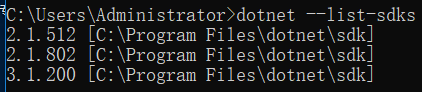
2、查看当前使用的.NET Core版本

下载编译器: protoc-{版本号}-win32.zip
下载运行时: protobuf-csharp-{版本号}.zip
1、配置环境变量
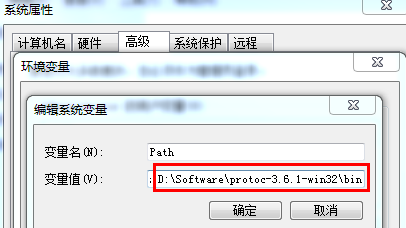
2、检查版本号

3、写一个测试用的协议文件(addressbook.proto)
这个文件是个官方示例 protobuf-csharp-3.6.1\protobuf-3.6.1\examples\addressbook.proto
// See README.txt for information and build instructions.
//
// Note: START and END tags are used in comments to define sections used in
// tutorials.  They are not part of the syntax for Protocol Buffers.
//
// To get an in-depth walkthrough of this file and the related examples, see:
// https://developers.google.com/protocol-buffers/docs/tutorials

// [START declaration]
syntax = "proto3";
package tutorial;

import "google/protobuf/timestamp.proto";
// [END declaration]

// [START java_declaration]
option java_package = "com.example.tutorial";
option java_outer_classname = "AddressBookProtos";
// [END java_declaration]

// [START csharp_declaration]
option csharp_namespace = "Google.Protobuf.Examples.AddressBook";
// [END csharp_declaration]

// [START messages]
message Person {
  string name = 1;
  int32 id = 2;  // Unique ID number for this person.
  string email = 3;

  enum PhoneType {
    MOBILE = 0;
    HOME = 1;
    WORK = 2;
  }

  message PhoneNumber {
    string number = 1;
    PhoneType type = 2;
  }

  repeated PhoneNumber phones = 4;

  google.protobuf.Timestamp last_updated = 5;
}

// Our address book file is just one of these.
message AddressBook {
  repeated Person people = 1;
}
// [END messages]
4、新建两个文件夹cpp和csharp分别用来存放生成后的C++文件和C#文件
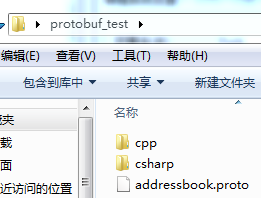
5、将协议文件编译成对应的C++代码和C#代码

如果协议文件在当前目录下也可以这样写,示例:

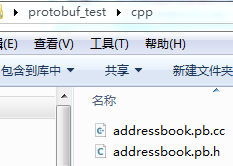
生成的C++代码
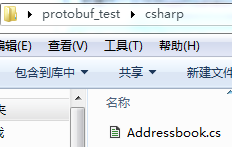
生成的C#代码
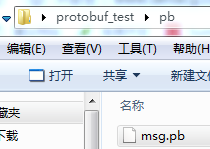
生成pb文件

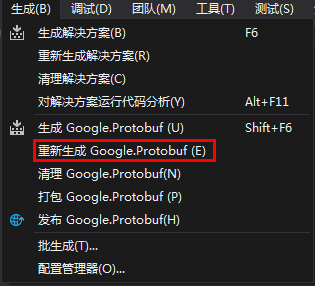
6、用Visual Studio编译Protobuf运行时库
下载protobuf-csharp-{版本号}.zip
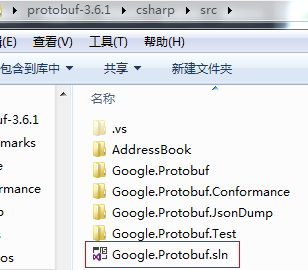
如果打开项目报错
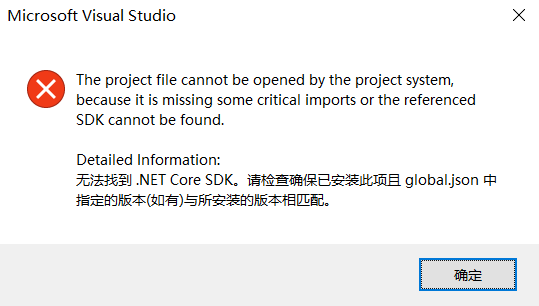
解决方法:修改项目中global.json中所指定的.NET Core SDK版本为系统中所安装的版本即可
在解决方案所在目录新建build.cmd
@echo off
dotnet run --project build -- %*
pause
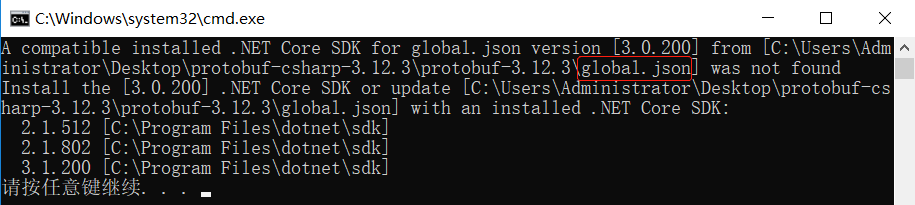
从上面的报错信息可以看到项目中所使用的.NET Core SDK版本以及系统中所安装的.NET Core SDK版本列表
查看Google.Protobuf项目使用的.NET Core SDK版本号
protobuf-csharp-3.12.3\protobuf-3.12.3\global.json
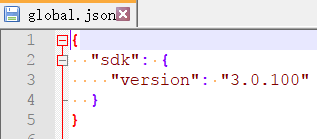
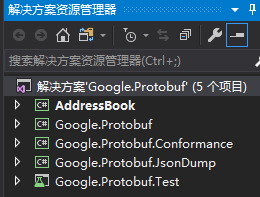
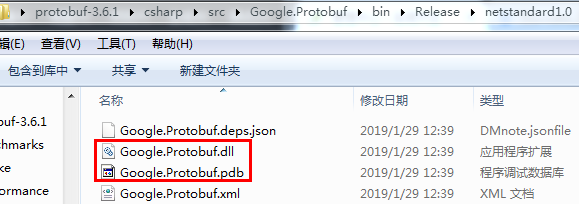
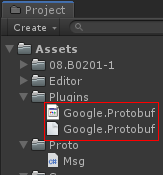
将Google.Protobuf.dll和Google.Protobuf.pdb拷到Unity工程的Plugins下,接下来就可以对协议进行序列化和反序列化了。
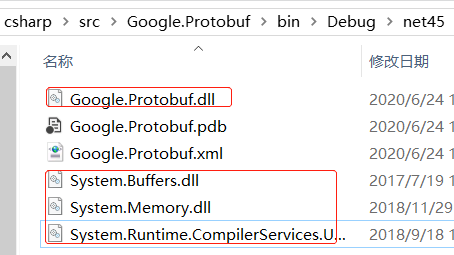
也可以拷贝net45
测试示例:
定义msg.proto文件
syntax = "proto3"; //版本号
package proto;  //包名

option csharp_namespace="Proto";

message StoreRequest {
	string name = 1;
	bool b = 2;
	double num1 = 3;
	float num2 = 4;
	int32 num3 = 5;
	repeated string myList=6;

	enum GenderType
	{
		None = 0;
		Male = 1;
		Female = 2;
	}

	GenderType gender = 7;

	map<string, int32> dic = 8;
}
编译msg.proto为C#代码并放到Unity工程下(Assets/Proto/Msg.cs)

测试代码
using System.Collections;
using System.Collections.Generic;
using System.IO;
using UnityEngine;

public class TestProto : MonoBehaviour
{
    void Start()
    {
        Proto.StoreRequest req = new Proto.StoreRequest();
        req.Name = "东东";
        req.B = true;
        req.Num1 = 1;
        req.Num2 = 2;
        req.Num3 = 3;
        req.Gender = Proto.StoreRequest.Types.GenderType.Male;
        req.MyList.Add("aaa");
        req.MyList.Add("bbb");
        req.Dic["k1"] = 1;
        req.Dic["k2"] = 2;

        //将协议数据序列化到文件中
        string path = Application.dataPath + "/msg.pb";
        if (File.Exists(path))
            File.Delete(path);
        FileStream writer = new FileStream(path, FileMode.CreateNew);
        Google.Protobuf.CodedOutputStream output = new Google.Protobuf.CodedOutputStream(writer, false);
        req.WriteTo(output);
        output.Flush();
        output.Dispose();
        Debug.Log(path);

        //从文件中读取协议数据
        System.IO.FileStream reader = new System.IO.FileStream(path, System.IO.FileMode.Open);
        Proto.StoreRequest ureq = Proto.StoreRequest.Parser.ParseFrom(reader);
        reader.Dispose();
    }
}
1) MemoryStream 存储在内存中的字节流
2) FileStream 存储在文件系统的字节流
3) NetworkStream 通过网络设备读写的字节流
4) BufferedStream 为其他流提供缓冲的流
断点查看反序列化结果
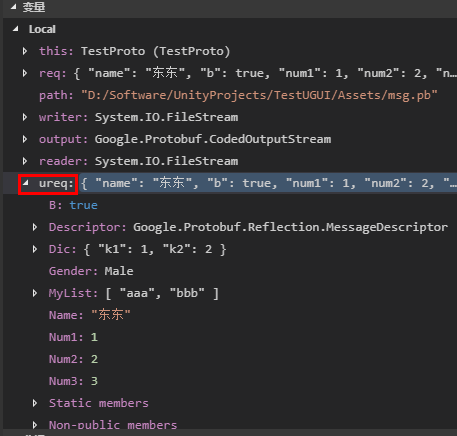
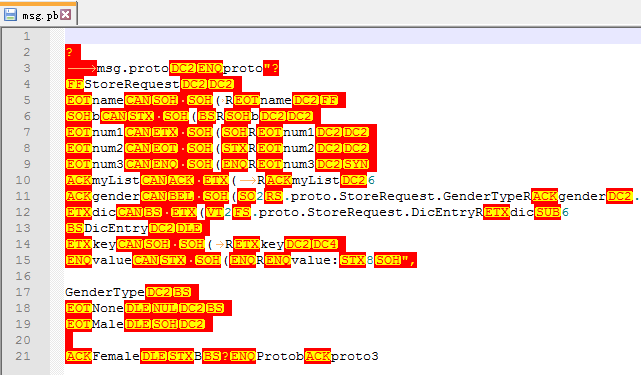
查看msg.pb文件内容,可见协议数据已经被序列化到文件中。

更多参考资料
Protobuf3语言指南 https://blog.csdn.net/u011518120/article/details/54604615
Protobuf的使用流程 https://www.cnblogs.com/guxin/p/9091392.html
Unity中使用Protobuf https://blog.csdn.net/qq_36458268/article/details/81067280
Python安装Protobuf http://www.devacg.com/?post=904
Lua Protobuf http://www.devacg.com/?post=905
xLua集成protobuf http://www.devacg.com/?post=910