安装Steam https://store.steampowered.com/about/
登录Steam
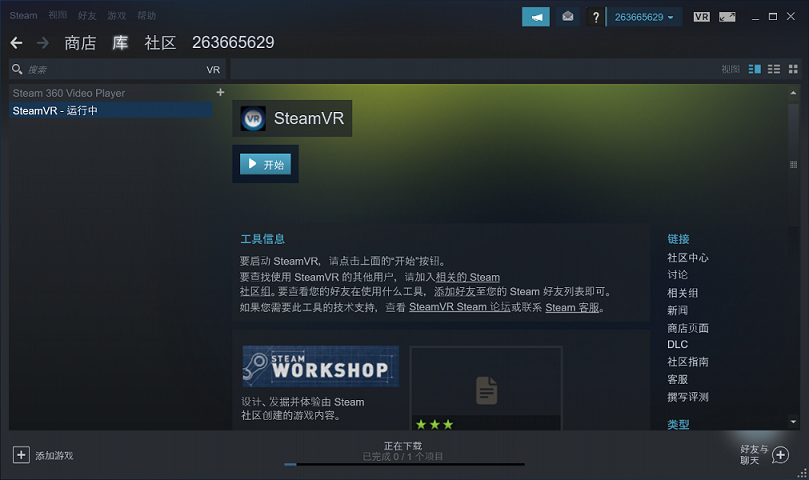
SteamVR的配置文件:
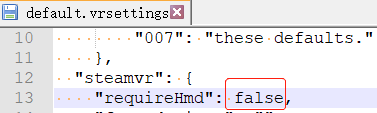
{SteamVR安装目录}\steamapps\common\SteamVR\resources\settings\default.vrsettings
在配置文件中将头显设备设置成可选项: 可在不接入头显的情况下仅使用定位器功能
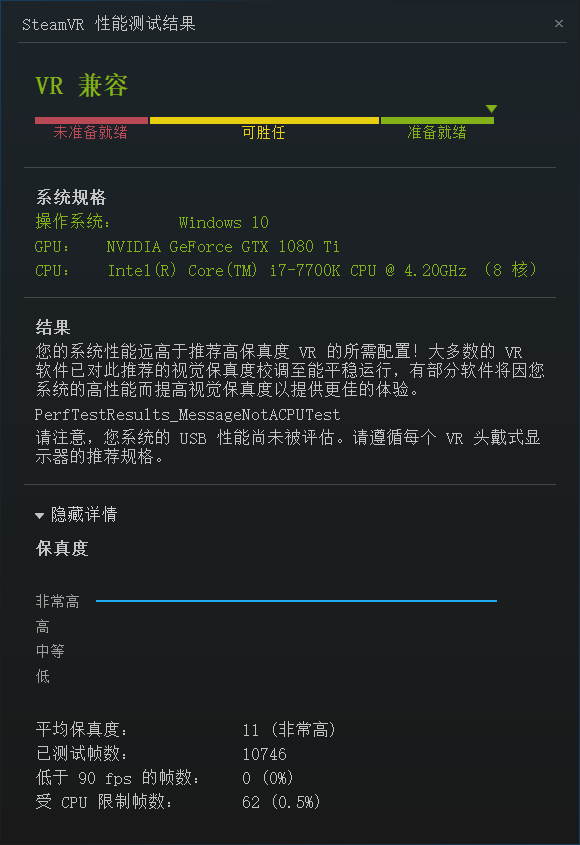
安装SteamVR Performance Test来评估电脑配置
评估您当前的系统是否达到运行 VR 的水平标准;若未达标准,判断性能限制来自于显卡、处理器或两者皆有。
https://store.steampowered.com/app/323910/SteamVR_Performance_Test/
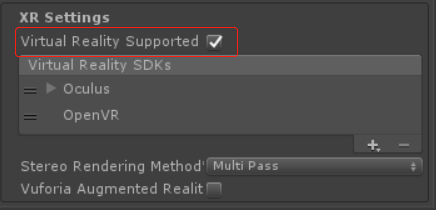
Virtual Reality Supported可以控制SteamVR插件功能的开启或关闭,当我们导入了SteamVR Unity Plugin时,但又不想启动VR,可以去掉这个勾选项。
Stereo Rendering Mode(立体渲染模式)
Multi-Pass Stereo Rendering(多通道立体渲染)
Single-Pass Stereo Rendering(单通道立体渲染)
Single-Pass Instanced(单通道立体实例化),进一步提升Single-Pass性能的技术。
多通道立体渲染性能要低于单通道立体渲染
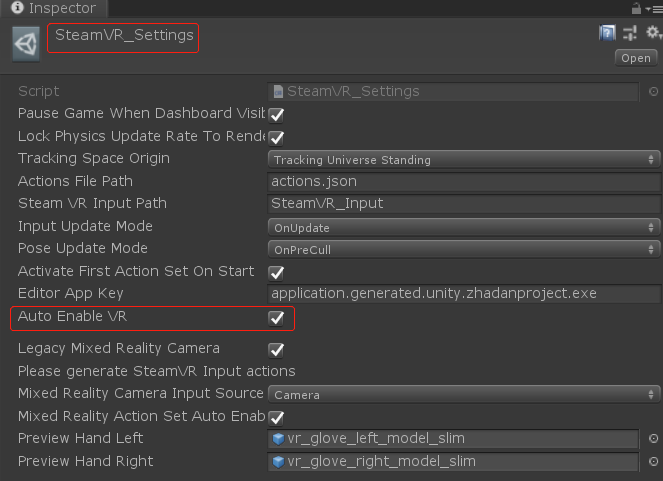
关闭自动开启Virtual Reality Supported选项
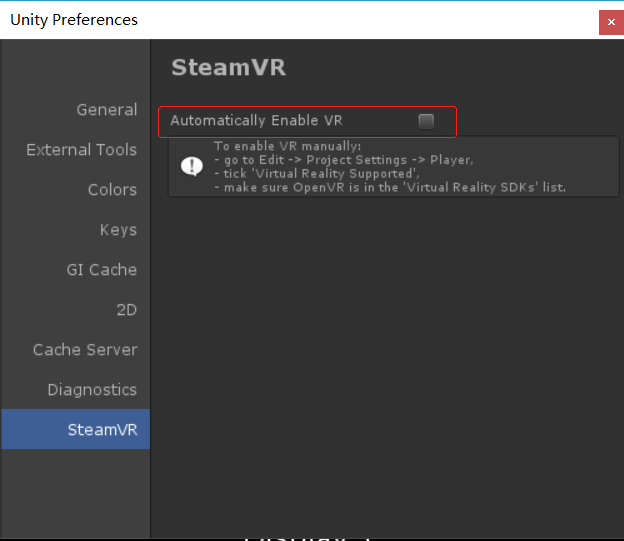
新版本这个选项移到了这里
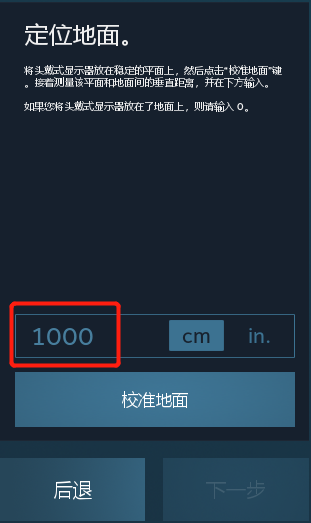
MainCamera的y坐标会增加此高度值。为了保证这里的高度值与实际高度相稳合,请在运行游戏前,将MainCamera的y坐标设置成0
SteamVR Unity Plugin文档
https://valvesoftware.github.io/steamvr_unity_plugin/
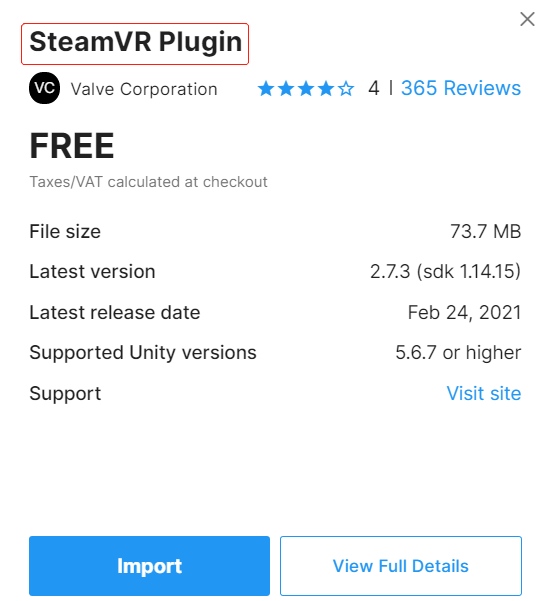
在 Unity Asset Store 下载 SteamVR Plugin
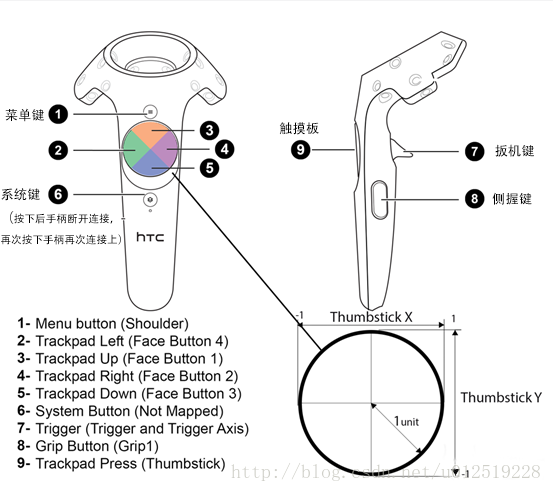
手模型结构
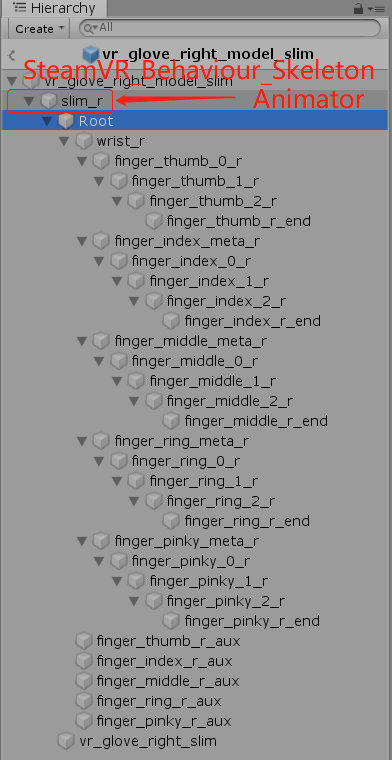 (Root下面对应五根手指及手指关节)
事件配置
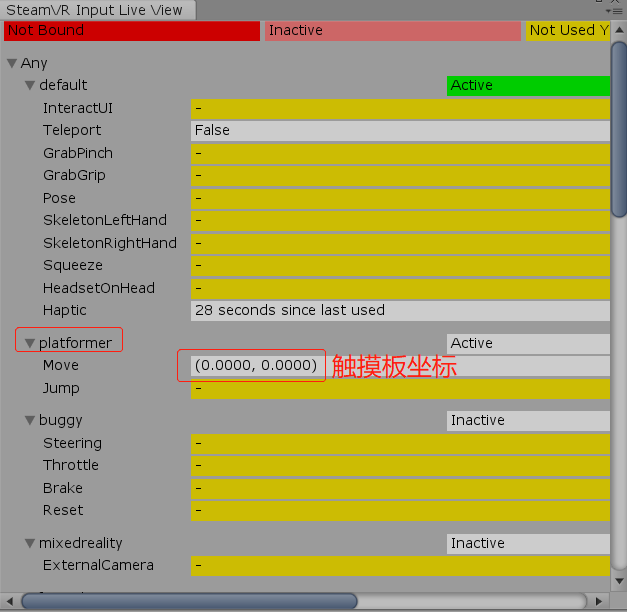
Window->SteamVR Input
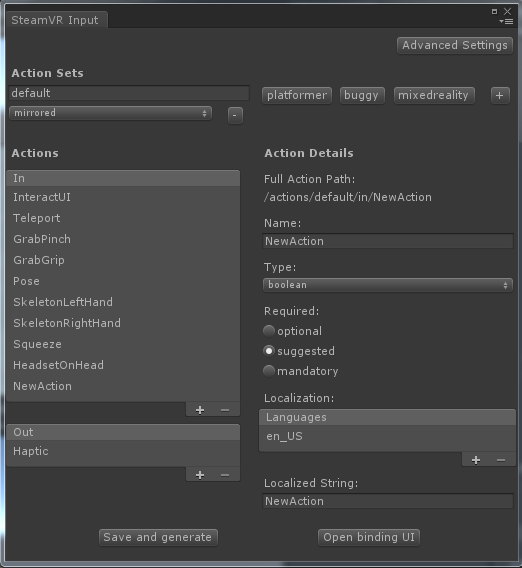
点击【Open binding UI】可以编辑Action
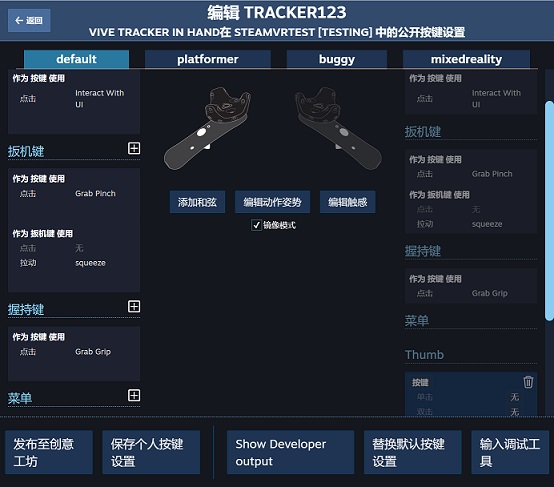
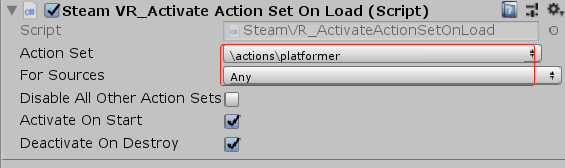
通过挂载SteamVR_ActivateActionSetOnLoad脚本,激活动作集。
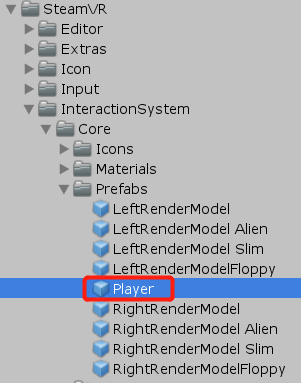
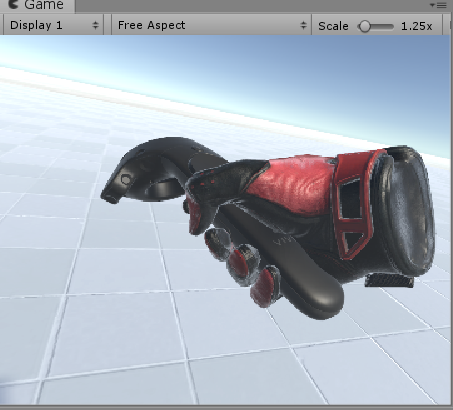
一、将Player拖入场景,并删除默认的Main Camera,此时可在VR中看见手柄。
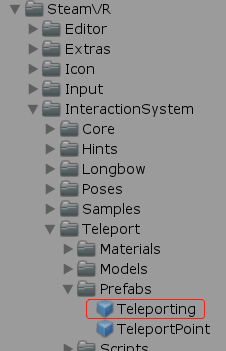
二、将Teleporting拖入场景,然后按住触摸板,即可看见从手柄发出的射线。
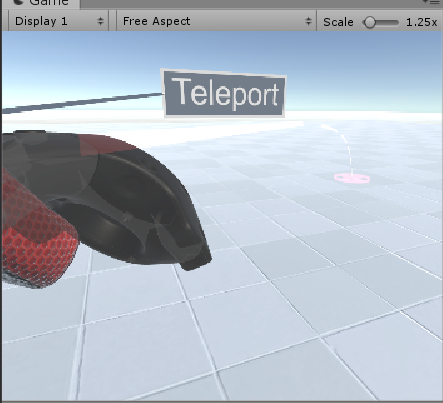
只需向场景中摆放TeleportPoint即可增加传送点。
Teleport的Start()方法中会获取所有传送点,并隐藏。
在传送点(teleport_marker_mesh)上挂个IgnoreTeleportTrace脚本可忽略射线碰撞。
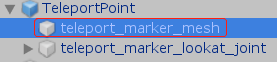
传送区域
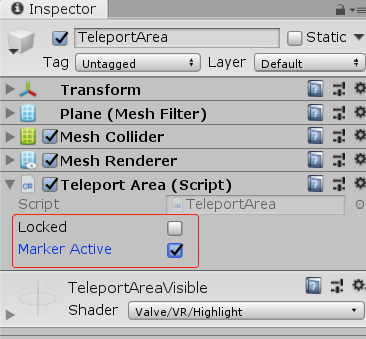
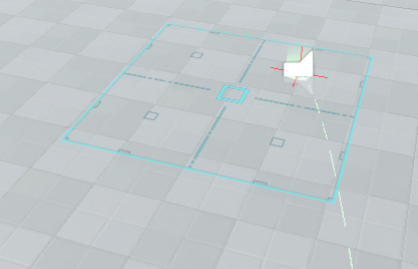
将TeleportArea脚本挂到Panel上可制作传送区域
Locked: true表示不可传送,但可显示。
Marker Active: true(可显示),false(不可显示)。
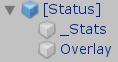
二、制作HUD,参考[Status].prefab
利用一个独立的Camera渲染所有的UI元素到一张RenderTexture上,再把这张RenderTexture赋给SteamVR_Overlay的texture属性。
三、跟踪设备姿态(位置、旋转)
这两个类都可实现对设备的姿态跟踪SteamVR_TrackedObject、SteamVR_Behaviour_Pose,将任一一个脚本挂到GameObject上,此GameObject的位置与旋转将与设备同步。
手指枚举
public enum SteamVR_Skeleton_FingerIndexEnum
{
	thumb,	//拇指
	index,	//食指
	middle,	//中指
	ring,	//无名指
	pinky,	//小指
}
示例:当GameObject挂上以下脚本,便可处理相应的Action
using System.Collections;
using System.Collections.Generic;
using UnityEngine;
using Valve.VR;

[RequireComponent(typeof(SteamVR_TrackedObject))]
public class TestThrow : MonoBehaviour
{
    //获取输入Action: InteractUI
    //可通过SteamVR Input窗口查看和编辑所有Action
    public SteamVR_Action_Boolean spawn = SteamVR_Input.GetAction<SteamVR_Action_Boolean>("InteractUI");

    //SteamVR_Behaviour_Pose负责跟踪设备行为
    SteamVR_Behaviour_Pose trackedObj;

    private void Awake()
    {
        trackedObj = GetComponent<SteamVR_Behaviour_Pose>();
    }

    private void FixedUpdate()
    {
        //按下
        if (spawn.GetStateDown(trackedObj.inputSource))
        {

        }
        //释放
        else if (spawn.GetStateUp(trackedObj.inputSource))
        {

        }
    }
}
示例:用扳机键与物体交互
using System.Collections;
using System.Collections.Generic;
using UnityEngine;
using Valve.VR;
using Valve.VR.InteractionSystem;

/// <summary>
/// 示例: 用扳机键与物体交互
/// </summary>
public class CubeInteraction : MonoBehaviour
{
    // 当手柄刚接触到物体时触发
    private void OnHandHoverBegin(Hand hand)
    {
        Debug.Log("***** OnHandHoverBegin");
    }

    // 当手柄持续停留在物体上时触发
    private void HandHoverUpdate(Hand hand)
    {
        // 判断扳机键是否按下
        string actionSetName = "default"; //默认动作集
        string actionName = "GrabPinch";  //扳机键动作
        SteamVR_Action_Boolean GrabPinch = SteamVR_Input.GetAction<SteamVR_Action_Boolean>(actionSetName, actionName, true);
        if (GrabPinch != null)
        {
            if (GrabPinch.GetStateDown(SteamVR_Input_Sources.Any))
            {
                //仅按下扳机键时触发一次
                Debug.Log("***** GetStateDown");
            }
            else if (GrabPinch.GetStateUp(SteamVR_Input_Sources.Any))
            {
                //仅释放扳机键时触发一次
                Debug.Log("***** GetStateUp");
            }
            else if (GrabPinch.GetState(SteamVR_Input_Sources.Any))
            {
                //按住扳机键不放,会持续触发
                Debug.Log("***** GetState");
            }
        }
    }

    // 当手柄离开物体时触发
    private void OnHandHoverEnd(Hand hand)
    {
        Debug.Log("***** OnHandHoverEnd");
    }
}
示例:与UI元素交互
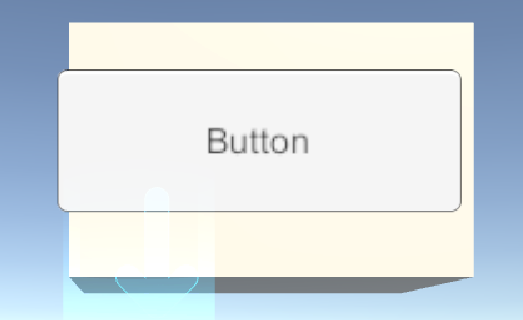
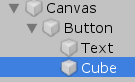
将下面的脚本挂在Button上
using System.Collections;
using System.Collections.Generic;
using UnityEngine;
using Valve.VR;
using Valve.VR.InteractionSystem;

/// <summary>
/// 示例:与UI元素交互
/// UI元素下面要放一个3D物体(如,Cube),否则不会触发回调事件。
/// </summary>
public class ButtonInteraction : UIElement
{
    protected override void OnButtonClick()
    {
        base.OnButtonClick();
        Debug.Log("***** #OnButtonClick()");
    }

    protected override void OnHandHoverBegin(Hand hand)
    {
        base.OnHandHoverBegin(hand);
        Debug.Log("***** #OnHandHoverBegin()");
    }

    protected override void OnHandHoverEnd(Hand hand)
    {
        base.OnHandHoverEnd(hand);
        Debug.Log("***** #OnHandHoverEnd()");
    }

    protected override void HandHoverUpdate(Hand hand)
    {
        base.HandHoverUpdate(hand);
        //Debug.Log("***** #HandHoverUpdate()");
    }
}
运行测试
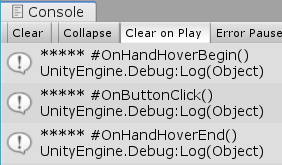
要使UGUI的Button与VR手柄交互,需要挂上BoxCllider、Interactable、继承自UIElement的脚本。
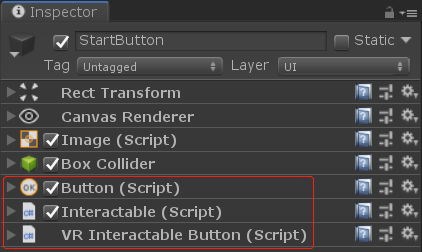
VRInteractableButton.cs是继承UIElement的脚本
using System.Collections;
using System.Collections.Generic;
using UnityEngine;
using Valve.VR;
using Valve.VR.InteractionSystem;
/// <summary>
/// 挂在UI Button对象上
/// </summary>
public class VRInteractableButton : UIElement
{
    protected override void OnButtonClick()
    {
        base.OnButtonClick();
    }

    protected override void OnHandHoverBegin(Hand hand)
    {
        base.OnHandHoverBegin(hand);
    }

    protected override void OnHandHoverEnd(Hand hand)
    {
        base.OnHandHoverEnd(hand);
    }

    protected override void HandHoverUpdate(Hand hand)
    {
        base.HandHoverUpdate(hand);
    }
}
Canvas设置
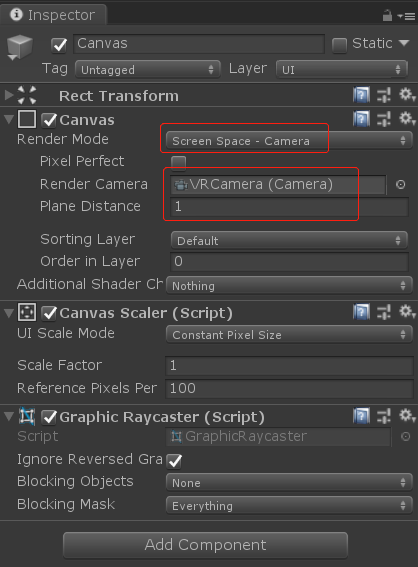
Render Mode设置为Screen Space-Camera
Render Camera设置成VRCamera,需要删除场景中原来的Main Camera
Plane Distance: Canvas距离VRCamera的距离(即,调整UI画面离眼睛的距离)
示例:抓取
using System.Collections;
using System.Collections.Generic;
using UnityEngine;
using Valve.VR;
using Valve.VR.InteractionSystem;

/// <summary>
/// 将此脚本挂在需要被抓取的物体上
/// </summary>
[RequireComponent(typeof(Interactable))]
public class GrabInteraction : MonoBehaviour
{
    private Vector3 oldPosition;
    private Quaternion oldRotation;

    private Hand.AttachmentFlags attachmentFlags = Hand.defaultAttachmentFlags & (~Hand.AttachmentFlags.SnapOnAttach) & (~Hand.AttachmentFlags.DetachOthers) & (~Hand.AttachmentFlags.VelocityMovement);

    private Interactable interactable;

    private void Awake()
    {
        interactable = this.GetComponent<Interactable>();
    }

    private void HandHoverUpdate(Hand hand)
    {
        GrabTypes startingGrabType = hand.GetGrabStarting();
        bool isGrabEnding = hand.IsGrabEnding(this.gameObject);

        if (interactable.attachedToHand == null && startingGrabType != GrabTypes.None)
        {
            // 保存原来位置/旋转,以便当抓取释放后重置
            oldPosition = transform.position;
            oldRotation = transform.rotation;

            // 禁止执行hand.UpdateHovering()
            hand.HoverLock(interactable);

            // 将gameObject关联到手上
            hand.AttachObject(gameObject, startingGrabType, attachmentFlags);
        }
        else if (isGrabEnding)
        {
            // 断开gameObject与手的联连
            hand.DetachObject(gameObject);

            // 允许执行hand.UpdateHovering()
            hand.HoverUnlock(interactable);

            // 重置坐标/旋转
            transform.position = oldPosition;
            transform.rotation = oldRotation;
        }
    }

    // 当物体被抓住时触发
    private void OnAttachedToHand(Hand hand)
    {
        Debug.Log(string.Format("OnAttachedToHand: {0}", hand.name));
    }

    // 当物体与抓取它的手断开时触发
    private void OnDetachedFromHand(Hand hand)
    {
        Debug.Log(string.Format("OnDetachedFromHand: {0}", hand.name));
    }

    // 当物体被一直抓住时,会持续触发
    private void HandAttachedUpdate(Hand hand)
    {
        Debug.Log(string.Format("HandAttachedUpdate: {0}", hand.name));
    }
}
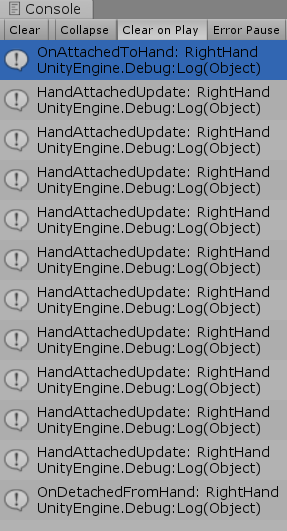
运行测试
示例:扔物体
using System.Collections;
using System.Collections.Generic;
using UnityEngine;
using Valve.VR;
using Valve.VR.InteractionSystem;

/// <summary>
/// 示例:扔物体
/// </summary>
[RequireComponent(typeof(Interactable))]
public class ThrowInteraction : MonoBehaviour
{
    public SteamVR_Behaviour_Pose pose;
    private new Rigidbody rigidbody;

    private Hand.AttachmentFlags attachmentFlags = Hand.defaultAttachmentFlags
        & (~Hand.AttachmentFlags.SnapOnAttach)
        & (~Hand.AttachmentFlags.DetachOthers)
        & (~Hand.AttachmentFlags.VelocityMovement)
        | Hand.AttachmentFlags.TurnOffGravity;

    private void Awake()
    {
        pose = Player.instance.rightHand.GetComponent<SteamVR_Behaviour_Pose>();

        rigidbody = GetComponent<Rigidbody>();
        rigidbody.useGravity = false;
    }


    void FixedUpdate()
    {
        // 判断扳机键是否按下
        string actionSetName = "default"; //默认动作集
        string actionName = "GrabPinch";  //扳机键动作
        SteamVR_Action_Boolean GrabPinch = SteamVR_Input.GetAction<SteamVR_Action_Boolean>(actionSetName, actionName, true);
        if (GrabPinch != null)
        {
            if (GrabPinch.GetStateDown(SteamVR_Input_Sources.RightHand))
            {
                //按下扳机键时抓住物体
                Player.instance.rightHand.AttachObject(gameObject, GrabTypes.Pinch, attachmentFlags);
            }
            else if (GrabPinch.GetStateUp(SteamVR_Input_Sources.RightHand))
            {
                //释放扳机键时扔出物体
                Player.instance.rightHand.DetachObject(gameObject);
                rigidbody.velocity = pose.GetVelocity() * 2;
                rigidbody.angularVelocity = pose.GetAngularVelocity();
                rigidbody.maxAngularVelocity = rigidbody.angularVelocity.magnitude;
                rigidbody.useGravity = true;
            }
            else if (GrabPinch.GetState(SteamVR_Input_Sources.RightHand))
            {
                //按住扳机键不放,会持续触发
                //Debug.Log("***** GetState");
            }
        }
    }
}
运行测试

//让画面在5秒内逐渐变黑
SteamVR_Fade.Start(Color.black, 5);
//让画面在5秒内逐渐变亮
SteamVR_Fade.Start(new Color(0, 0, 0, 0), 5);
//手柄震动:SteamVR_Actions.default_Haptic.Execute(开始时间,持续时间,频率,振幅,SteamVR_Input_Sources.哪个手柄)
SteamVR_Actions.default_Haptic.Execute(0, 0.2f, 1, 10, SteamVR_Input_Sources.RightHand);
获取手指关节坐标及旋转
//获取右手骨骼对象
SteamVR_Behaviour_Skeleton rightSkeleton = Player.instance.rightHand.skeleton;
//获取右手拇指中间关节的本地坐标(第二个参数true)
steamVR_Behaviour_Skeleton.GetBonePosition(SteamVR_Skeleton_JointIndexes.thumbMiddle, true)
//获取右手拇指中间关节的本地旋转(第二个参数true)
steamVR_Behaviour_Skeleton.GetBoneRotation(SteamVR_Skeleton_JointIndexes.thumbMiddle, true)
更多参考
SteamVR 出现的问题和解决办法
OpenVR API Documentation
XR技术词汇速查表
Interaction System
插件使用指南
VR手套官网(Noitom Hi5)
VR手套SDK下载(Noitom Hi5)