https://developer.apple.com/develop/
Apple开发文档
https://developer.apple.com/documentation/
Objective-C官方文档
Programming with Objective-C
GNUstep官网
http://www.gnustep.org
MinGW官网
http://www.mingw.org/
GNUstep通过MinGW环境在Windows上运行。
参考 https://blog.csdn.net/zwz1984/article/details/51111389
一、下载GNUStep
http://www.gnustep.org/windows/installer.html
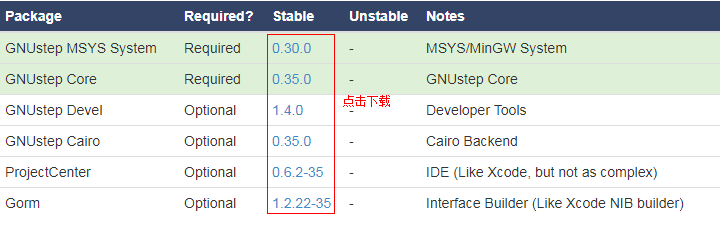
依次安装前三个软件包(GNUstep MSYS System、GNUstep Core、GNUstep Devel),安装到同一个目录下,例如安装到D:\Software\GNUstep。
二、安装Object-C的集成开发环境
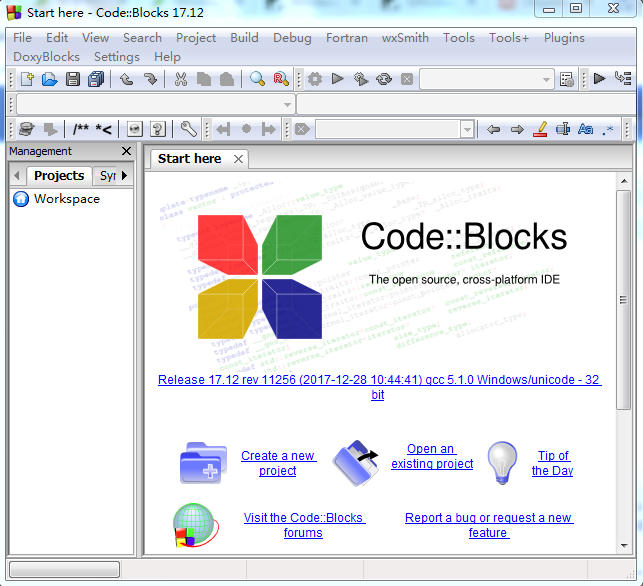
下载CodeBlocks IDE
http://www.codeblocks.org/downloads
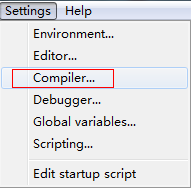
配置编译器
1、点Copy按钮添加新的编译器
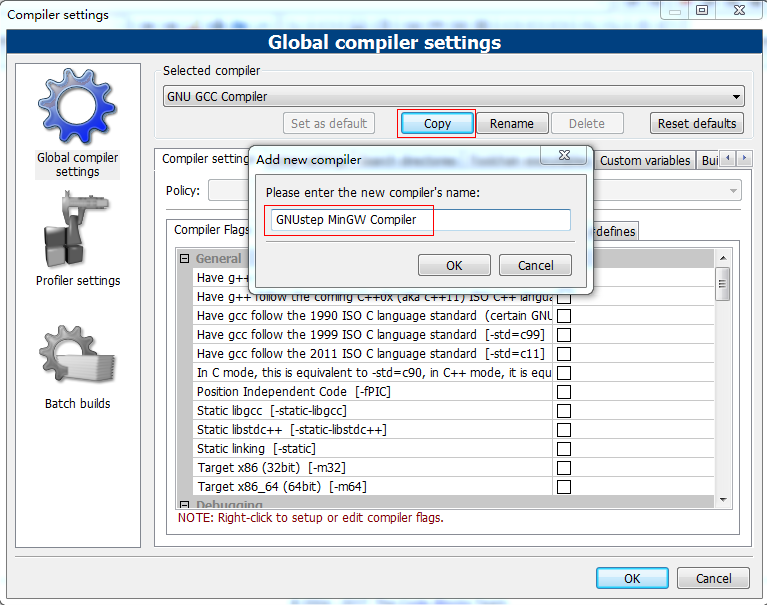
选中新添加的编译器,并点击OK按钮

Other compiler Options 分页中添加:
-fconstant-string-class=NSConstantString -std=c99
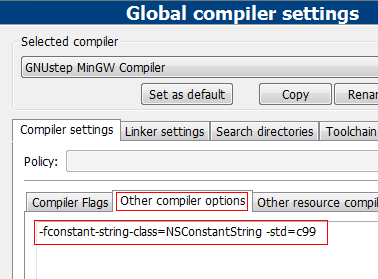
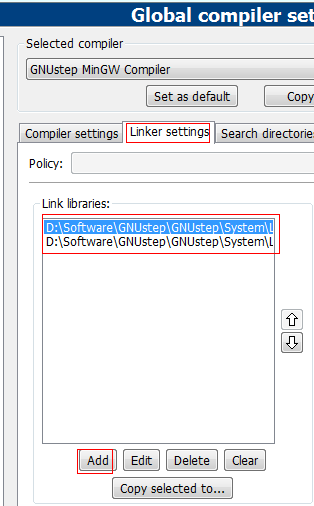
配置连接器
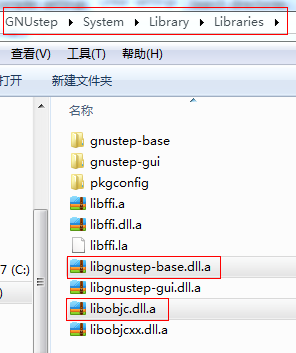
1、向Link libraries中加两个文件: libgnustep-base.dll.a、libobjc.dll.a
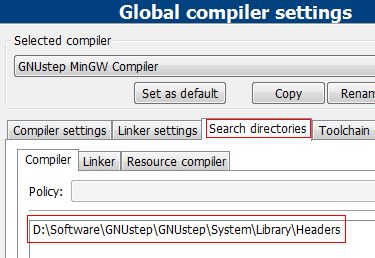
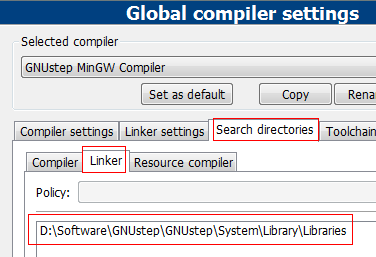
2、设置Search directories
设置Compiler目录D:\Software\GNUstep\GNUstep\System\Library\Headers
设置Linker目录D:\Software\GNUstep\GNUstep\System\Library\Libraries
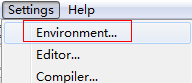
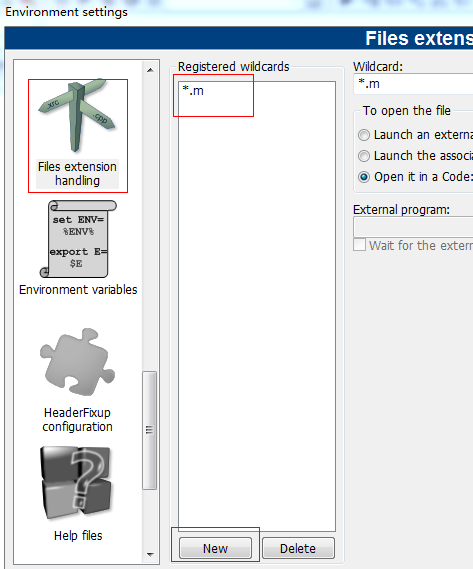
添加Objective-C文件类型支持
添加*.m
设置Edit file types & categories...
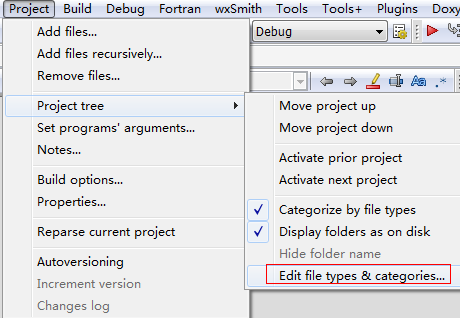
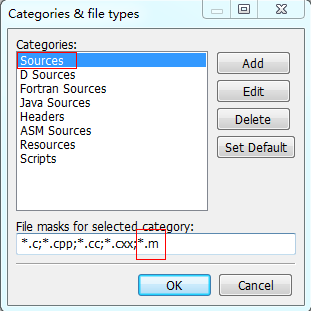
Sources中添加*.m
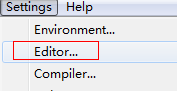
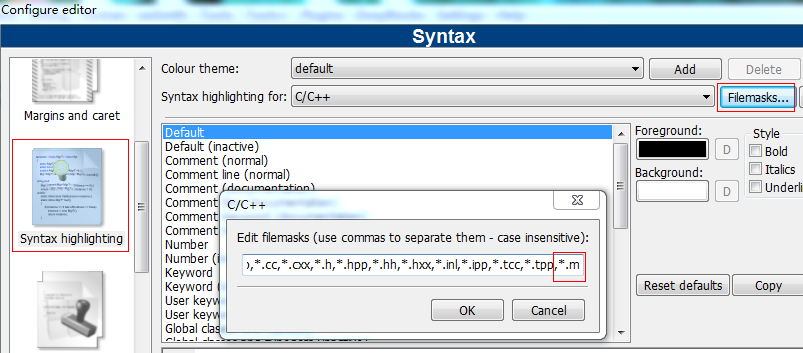
设置Syntax highlighting
添加*.m
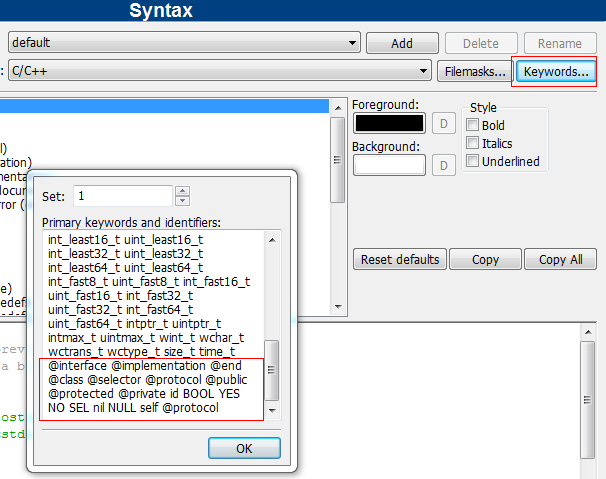
添加Objective-C Keywords
@interface @implementation @end @class @selector @protocol @public @protected @private id BOOL YES NO SEL nil NULL self @protocol
点Keywords...按钮
至此,Objective-C开发环境配置完毕!
写测试代码
1) 新建工程 File->New->Project...
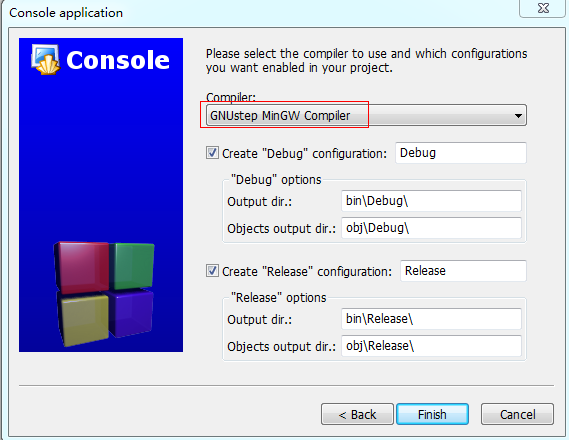
2) 选择新建Console application
注意:别忘了选择我们新建的编译器(Compiler)
将main.c文件改名为main.m,并编写以下代码
#import <Foundation/Foundation.h>
int main (int argc, const char *argv[])
{
    NSAutoreleasePool *pool = [[NSAutoreleasePool alloc] init];
    NSLog(@"%@",@"hello world");
    [pool drain];
    return 0;
}
工程截图
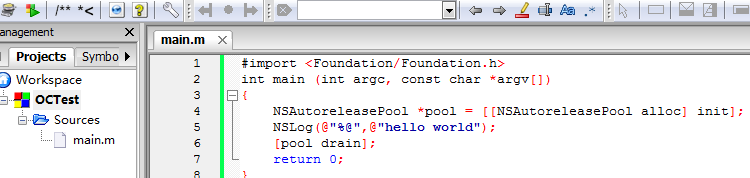
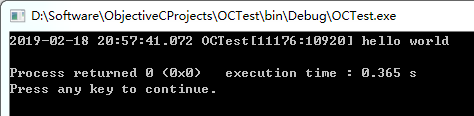
编译并运行Build->Run,如果出现以下窗口,证明环境配置成功了。