纹理块合并命令(combine)
post by:追风剑情 2018-12-26 18:10
示例: 演示combine src1 lerp(alpha) src2插值混合效果
Shader "Custom/BindChannelsTest" {
Properties {
    //自发光颜色
    _IlluminCol ("Self-Illumination color (RGB)", Color) = (1,1,1,1)
    _MainTex ("Main Texture", 2D) = "white" {}
}

Category {
    Tags { "Queue"="Transparent" "IgnoreProjector"="True" "RenderType"="Transparent" "PreviewType"="Plane" }

	BindChannels {
        Bind "Color", color
        Bind "Vertex", vertex
		Bind "Normal", normal
		//TexCoord对应第一个纹理(_MainTex)
		//texcoord1对应第二个SetTexture[]{}
        //Bind "TexCoord", texcoord0
		//Texcoord1对应第二个纹理(_SecondTex)
		//texcoord0对应第一个SetTexture[]{}
	    //Bind "Texcoord1", texcoord1

        //所有SetTexture都使用_MainTex的uv坐标
        Bind "TexCoord", texcoord //在这个shader中和上面的设置等效

        //个人理解,不一定正确:
        //这里的Channel指的就是SetTexture[]{}
        //Bind 第几组纹理, 第几组纹理坐标
        //比如,想让SetTexture [_MainTex]使用_SecondTex的uv坐标:
        //Bind "TexCoord", texcoord1
    }

    SubShader {
        Pass {
            SetTexture[_MainTex]
            {
                //使颜色属性进入混合器
                constantColor [_IlluminCol]
                //使用纹理的alpha通道混合顶点颜色

                //lerp()说明:
                //lerp(这里只使用到alpha值)
                //combine src1 lerp(alpha) src2
                //上面代码的意思: src1与src2之间进行线性插值

                //相当于lerp(texture, constant.alpha, constant)
                //combine constant lerp(texture) previous
                //constant.alpha=1,则完全显示constant.rgb颜色
                //constant.alpha=0,则完全显示texture.rgb颜色
                combine texture lerp(constant) constant
            }
        }
    }
}
}
效果
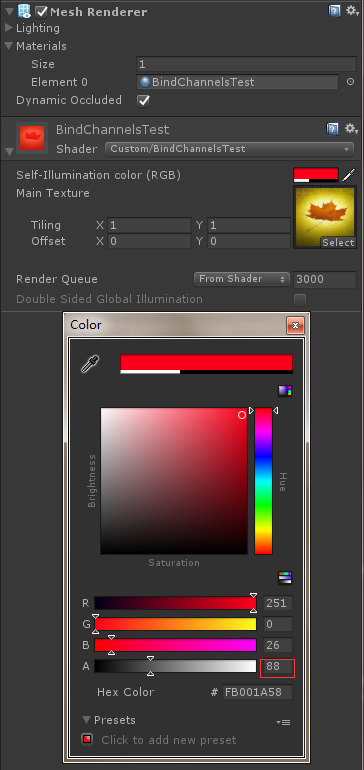
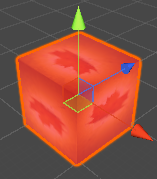
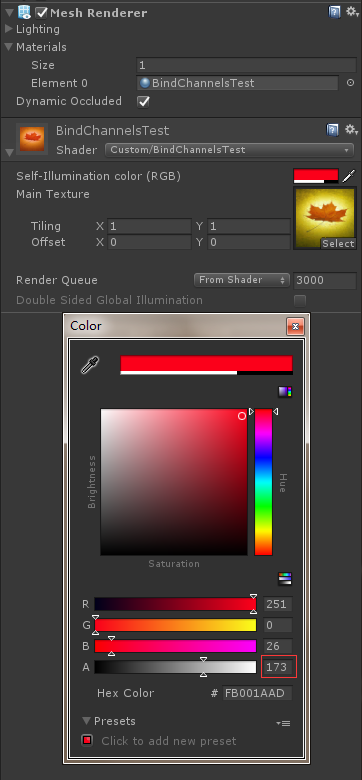
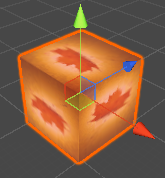
评论:
发表评论: