DrawTextureWithTexCoords()的使用
post by:追风剑情 2014-5-20 1:12
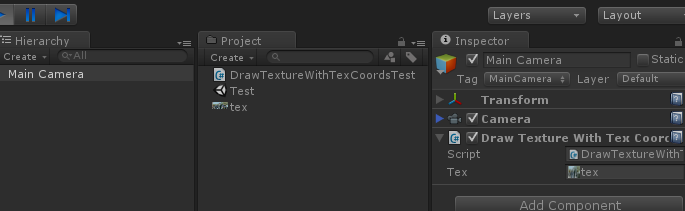
一、新建一个脚本挂在主像机上
using UnityEngine;
using System.Collections;

public class DrawTextureWithTexCoordsTest : MonoBehaviour {

    public Texture tex;

	void OnGUI () {

        //指定要显示在的屏幕区域
        Rect destRect = new Rect(50, 50, tex.width, tex.height);
        //指定要显示的图片区域
        Rect sourceRect = new Rect(0, 0, tex.width, tex.height);

        DrawTextureWithTexCoords(destRect, sourceRect, tex);
	}

    void DrawTextureWithTexCoords(Rect destRect, Rect sourceRect, Texture tex)
    {
        int tw, th;
        tw = tex.width;
        th = tex.height;

        //------------调整放缩比例------------------
        sourceRect.x = sourceRect.x / tw;
        //屏幕坐标系原点: 左上角
        //图片坐标系原点: 左下角
        //图片的Y轴与屏幕的Y转方向相反,这里需要颠倒一下(都以左上角为坐标原点)
        sourceRect.y = 1.0f - (sourceRect.y + sourceRect.height) / th;
        sourceRect.width = sourceRect.width / tw;
        sourceRect.height = sourceRect.height / th;
        //------------------------------------------

        GUI.DrawTextureWithTexCoords(destRect, tex, sourceRect, true);
    }
}
DrawTextureWithTexCoords(Rect position, Texture image, Rect texCoords, bool alphaBlend)
参数说明:
position: 屏幕坐标的具体位置
image: 显示用的纹理图片
texCoords: 当图片长宽比不适合给定范围长宽比的时候如何伸缩图像
alphaBlend: 是否启用默认的alpha渲染管线
对象层次截图
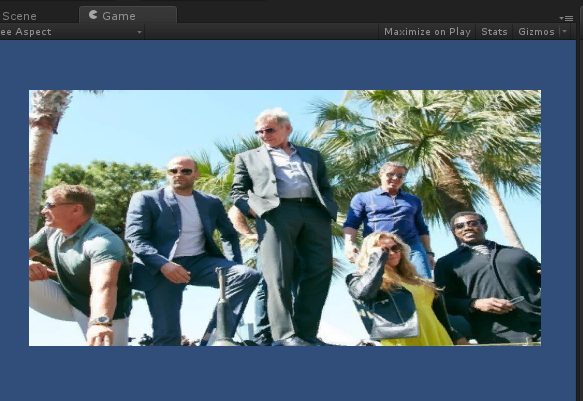
运行效果图
源文件下载
http://www.400gb.com/file/64973168
评论:
发表评论: