调用C# DLL接口
一、用Visual Studio生成一个dll
因为unity只支持.NET Framework 2.0,所以生成dll时一定要设置成使用.NET Framework 2.0
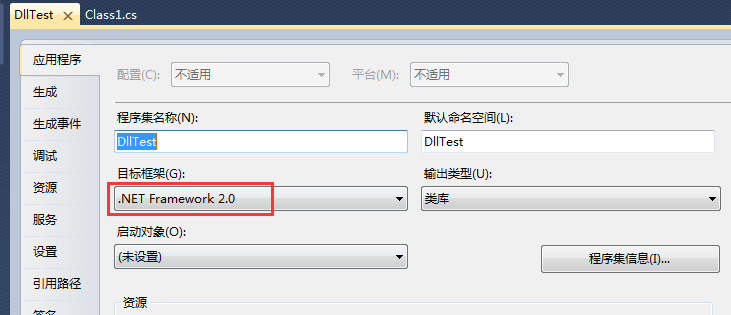
如果.NET版本过高,unity会报以下错:
Internal compiler error. See the console log for more information. output was:
Unhandled Exception: System.Reflection.ReflectionTypeLoadException: The classes in the module cannot be loaded.
at (wrapper managed-to-native) System.Reflection.Assembly:GetTypes (bool)
at System.Reflection.Assembly.GetTypes () [0x00000] in <filename unknown>:0
at Mono.CSharp.RootNamespace.ComputeNamespaces (System.Reflection.Assembly assembly, System.Type extensionType) [0x00000] in <filename unknown>:0
at Mono.CSharp.RootNamespace.ComputeNamespace (Mono.CSharp.CompilerContext ctx, System.Type extensionType) [0x00000] in <filename unknown>:0
at Mono.CSharp.GlobalRootNamespace.ComputeNamespaces (Mono.CSharp.CompilerContext ctx) [0x00000] in <filename unknown>:0
at Mono.CSharp.Driver.LoadReferences () [0x00000] in <filename unknown>:0
at Mono.CSharp.Driver.Compile () [0x00000] in <filename unknown>:0
at Mono.CSharp.Driver.Main (System.String[] args) [0x00000] in <filename unknown>:0
示例:
1. 创建dll
using System;

namespace DllTest
{
    public class DllClassTest
    {
        public string GetValue()
        {
            return "This is DllTest";
        }
    }
}
2. 把dll放在Assets/下面
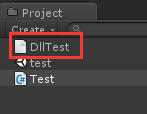
3. 在unity中调用dll
using UnityEngine;
using DllTest;

public class Test : MonoBehaviour {

	void Start () {
        //测试调用dll
        DllClassTest obj = new DllClassTest();
        string str = obj.GetValue();
        Debug.Log(str);
	}
}
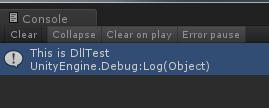
运行效果
示例二
一、Visual Studio创建类库
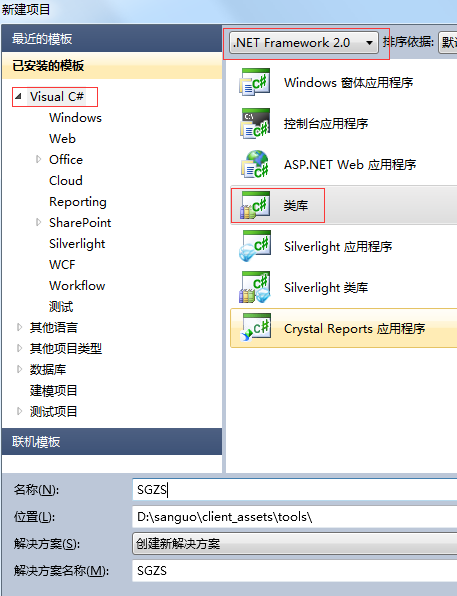
二、引用Unity安装目录下的UnityEditor.dll、UnityEngine.dll
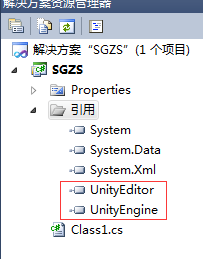
三、创建类
using System;
using System.Collections.Generic;
using UnityEngine;

public class Class1 : MonoBehaviour
{
    public string id;

    void Awake()
    {
        Debug.Log("Awake()");
    }

    void OnEnable()
    {
        Debug.Log("OnEnable()");
    }

    void OnDisable()
    {
        Debug.Log("OnDisable()");
    }

    void OnDestroy()
    {
        Debug.Log("OnDestroy()");
    }
}
四、生成dll文件并拷到Unity工程下
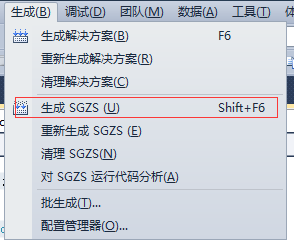
五、Unity工程中使用生成的dll文件
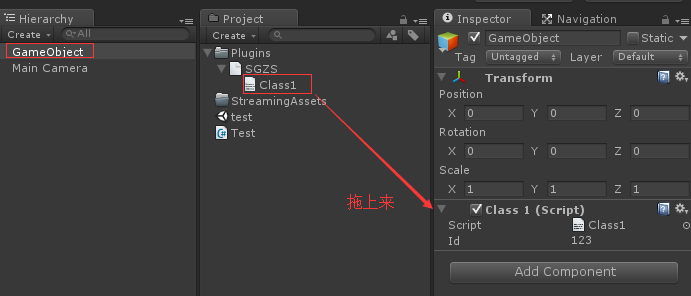
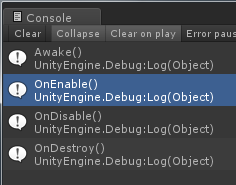
运行效果
动态加载dll
一、将示例二中的dll改名为SGZS.bytes并打包成SGZS.assetbundle
二、测试动态加载dll
using UnityEngine;
using System;
using System.Collections;
using System.Reflection;

public class Test : MonoBehaviour {

	void Start ()
    {
        StartCoroutine(LoadWWWDLL());
	}

    IEnumerator LoadWWWDLL()
    {
        yield return null;
        //为了方便测试暂时放在本地加载,实际使用时放到web服务器上。
        string url = "file:///" + Application.persistentDataPath + "/SGZS.assetbundle";
        Debug.Log("url=" + url);

        //加载dll
        WWW www = new WWW(url);
        yield return www;

        //提取dll
        AssetBundle bundle = www.assetBundle;
        TextAsset asset = bundle.Load("SGZS", typeof(TextAsset)) as TextAsset;

        //载入程序集
        Assembly ass = Assembly.Load(asset.bytes);
        Debug.Log("Assembly:" + ass);

        //创建GameObject并挂上脚本Class1
        Type type1 = ass.GetType("Class1");
        GameObject go = new GameObject("Class1");
        go.AddComponent(type1);
    }
}
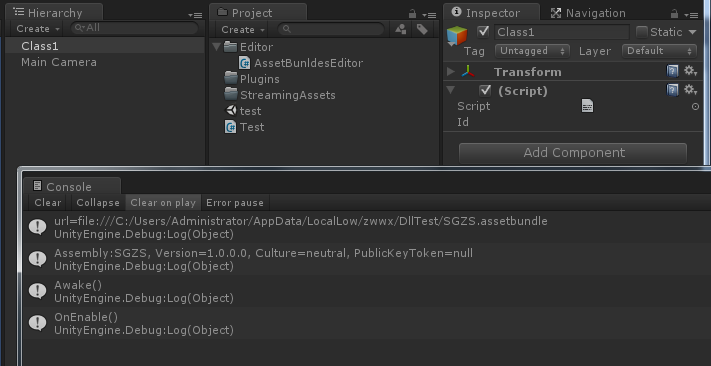
运行效果
调用C/C++接口
CTestDll.h
#ifndef __CTEST_DLL_H
#define __CTEST_DLL_H
// 声明为C编译、链接方式为外部函数
extern "C" _declspec(dllexport) int _cdecl add(int* x, int* y);
extern "C" _declspec(dllexport) int _cdecl sub(int x, int y);
#endif
CTestDll.cpp
#include "CTestDll.h"

#ifdef __cplusplus //如果是cpp文件
extern "C" //这部分代码按C编译
{
	int add(int* x, int* y)
	{
		return *x + *y;
	}

	int sub(int x, int y)
	{
		return x - y;
	}
}
#endif
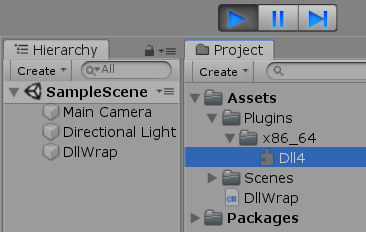
Unity工程
using System.Collections;
using System.Collections.Generic;
using System.Runtime.InteropServices;
using UnityEngine;

public class DllWrap : MonoBehaviour
{
    //.dll后缀可以不用写
    [DllImport(@"Dll4.dll", EntryPoint = "add", CharSet = CharSet.Auto, CallingConvention = CallingConvention.Cdecl)]
    public static extern int add(ref int x, ref int y);
    [DllImport(@"Dll4.dll", EntryPoint = "sub", CharSet = CharSet.Auto, CallingConvention = CallingConvention.Cdecl)]
    public static extern int sub(int x, int y);

    void Start()
    {
        int x = 6, y = 5;
        int a = add(ref x, ref y);
        int b = sub(x, y);
        Debug.LogFormat("a={0}, b={1}", a, b);
    }
}
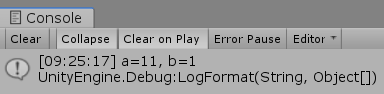
运行测试