基本视图——WebView
post by:追风剑情 2015-9-29 20:27
一、配置AndroidManifest.xml权限
<uses-permission android:name="android.permission.INTERNET" />
二、创建活动
视图
<LinearLayout xmlns:android="http://schemas.android.com/apk/res/android"
    xmlns:tools="http://schemas.android.com/tools"
    android:layout_width="fill_parent"
    android:layout_height="fill_parent"
    android:orientation="vertical"
    tools:context="${relativePackage}.${activityClass}" >

    <WebView
        android:id="@+id/webview1"
        android:layout_width="wrap_content"
        android:layout_height="wrap_content" />

</LinearLayout>
代码
package com.example.androidtest;

import android.app.Activity;
import android.os.Bundle;
import android.webkit.WebSettings;
import android.webkit.WebView;
import android.webkit.WebViewClient;

public class WebViewActivity extends Activity {

	@Override
	protected void onCreate(Bundle savedInstanceState) {
		super.onCreate(savedInstanceState);
		setContentView(R.layout.activity_web_view);

		WebView wv = (WebView) findViewById(R.id.webview1);

		WebSettings webSettings = wv.getSettings();
		webSettings.setBuiltInZoomControls(true);//显示内置放缩控件
		wv.setWebViewClient(new Callback());
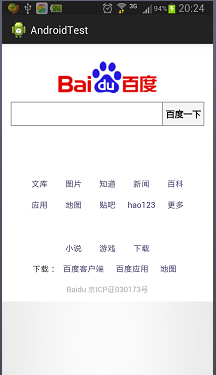
		wv.loadUrl("http://www.baidu.com");

		//直接显示html字符串
		/*
		final String mimeType = "text/html";
		final String encoding = "UTF-8";
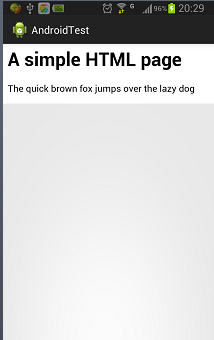
		String html = "<H1>A simple HTML page</H1><body>"+
				"<p>The quick brown fox jumps over the lazy dog</p>"+
				"</body>";
		wv.loadDataWithBaseURL("", html, mimeType, encoding, "");*/

		//直接加载assets文件夹下的html文件
		//wv.loadUrl("file:///xxxx/Index.html");
	}

	/**
	 * 有时,当加载一个会重定向的页面时,WebView将导致应用程序启动设备的Browser
	 * 应用程序来加载所需的页面。为了避免这种情况发生,需要实现WebViewClient类
	 * 并重写shouldOverrideUrlLoading()方法。
	 */
	private class Callback extends WebViewClient {
		@Override
		public boolean shouldOverrideUrlLoading (WebView view, String url)
		{
			return false;
		}
	}
}
运行效果
评论:
发表评论: