布局视图组——ScrollView
post by:追风剑情 2015-7-13 21:25
ScrollView是一种特殊类型的FrameLayout,因为它可以使用户滚动显示一个占据的空间大于物理显示的视图列表。ScrollView只能包含一个子视图或视图组,通常是LinearLayout。
注意: 不要将ScrollView和ListView一起使用。ListView用来显示一个相关信息的列表并针对大列表的处理进行了优化。
因为EditText自动获得焦点,所以它会填充整个活动(因为高度被设为了600dp)。为了防止它获得焦点,在<LinearLayout>元素中添加下面两个属性:
android:focusable="true"
android:facusableInTouchMode="true"
有时候可能想让EditText自动获得焦点,但是不想让软件输入面板(键盘)自动显示(在实际设备上会自动显示)。为了防止键盘显示,在AndroidManifest.xml文件的<activity>元素中添加下面的属性:
android:windowSoftInputMode="stateHidden"
<ScrollView xmlns:android="http://schemas.android.com/apk/res/android"
    xmlns:tools="http://schemas.android.com/tools"
    android:layout_width="fill_parent"
    android:layout_height="fill_parent"
    tools:context="${relativePackage}.${activityClass}" >

    <LinearLayout
        android:layout_width="fill_parent"
        android:layout_height="wrap_content"
        android:orientation="vertical"
        android:focusable="true"
        android:focusableInTouchMode="true">

        <Button
        android:id="@+id/button1"
        android:layout_width="fill_parent"
        android:layout_height="wrap_content"
        android:text="Button 1" />

        <Button
        android:id="@+id/button2"
        android:layout_width="fill_parent"
        android:layout_height="wrap_content"
        android:text="Button 2" />

        <Button
        android:id="@+id/button3"
        android:layout_width="fill_parent"
        android:layout_height="wrap_content"
        android:text="Button 3" />

        <EditText
            android:id="@+id/txt"
            android:layout_width="fill_parent"
            android:layout_height="600dp"/>

        <Button
        android:id="@+id/button4"
        android:layout_width="fill_parent"
        android:layout_height="wrap_content"
        android:text="Button 4" />

        <Button
        android:id="@+id/button5"
        android:layout_width="fill_parent"
        android:layout_height="wrap_content"
        android:text="Button 5" />
    </LinearLayout>

</ScrollView>
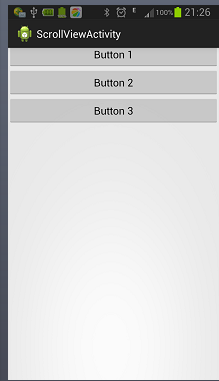
运行效果
评论:
发表评论: