Semantic Kernel 快速入门
post by:追风剑情 2026-3-26 13:45
Semantic Kernel 是微软推出的一款轻量级、开源的软件开发工具包(SDK),旨在帮助开发者轻松地将大型语言模型(LLM)集成到现有的应用程序中。
示例:在控制台窗口中与模型聊天
1、新建 Visual Studio 控制台工程,.NET 8+
2、通过NuGet安装插件
Microsoft.SemanticKernel
Microsoft.SemanticKernel.Connectors.Ollama
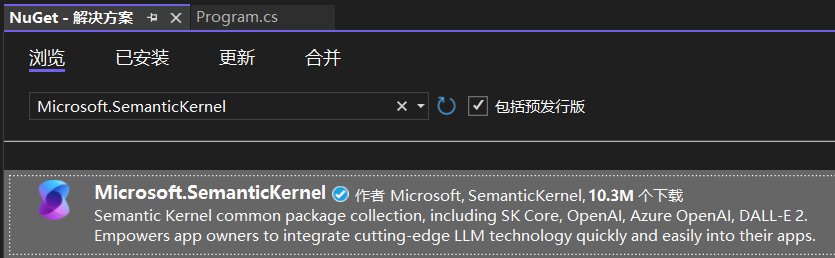
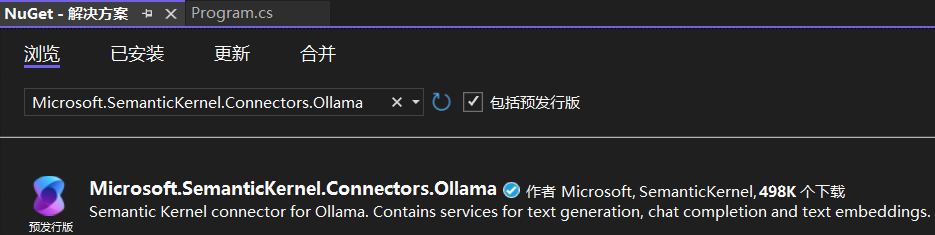
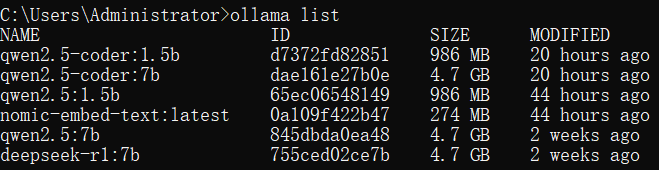
3、确保本地已经安装了 Ollama及大模型,在 cmd 窗口中通过命令 ollama list 查看。
4、Program.cs 文件
using Microsoft.SemanticKernel;
using Microsoft.SemanticKernel.ChatCompletion;

// 1. 创建Kernel构建器
var builder = Kernel.CreateBuilder();

// 2. 配置Ollama服务
//    modelId: 替换成你在Ollama中下载的具体模型名称,比如 "qwen3:1.7b"
//    endpoint: Ollama默认的本地地址
builder.AddOllamaChatCompletion(
    modelId: "qwen2.5:1.5b",   // 【请替换成你的Qwen模型名】
    endpoint: new Uri("http://localhost:11434")
);

// 3. 构建Kernel实例
var kernel = builder.Build();

// 4. 从Kernel中获取聊天服务
var chatService = kernel.GetRequiredService<IChatCompletionService>();

// 5. 创建聊天历史对象,用于维护多轮对话上下文
var history = new ChatHistory();

// 6. 添加一个系统提示,设定AI的角色
history.AddSystemMessage("你是一个乐于助人且风趣的.NET技术顾问。");

// 7. 开始交互循环
Console.WriteLine("本地AI已就绪,开始聊天(输入 exit 退出):\n");

while (true)
{
    Console.Write("你:");
    var userInput = Console.ReadLine();

    if (string.IsNullOrWhiteSpace(userInput) || userInput.ToLower() == "exit")
        break;

    // 将用户问题加入历史
    history.AddUserMessage(userInput);

    // 获取AI的回复(流式输出)
    Console.Write("AI:");
    string fullResponse = "";
    await foreach (var chunk in chatService.GetStreamingChatMessageContentsAsync(history))
    {
        Console.Write(chunk.Content);
        fullResponse += chunk.Content;
    }

    // 将AI的回答也加入历史
    history.AddAssistantMessage(fullResponse);
    Console.WriteLine("\n");
}
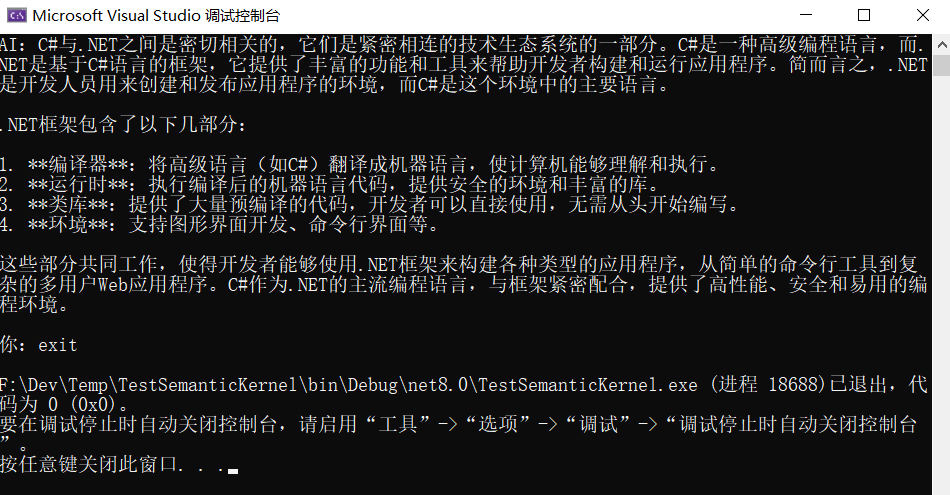
5、运行测试
评论:
发表评论: