文章中使用的 Unity 2022.3.54.f1c1
一、导入 HybridCLR 包
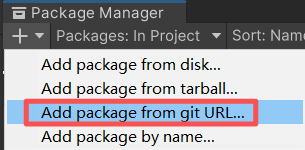
填入
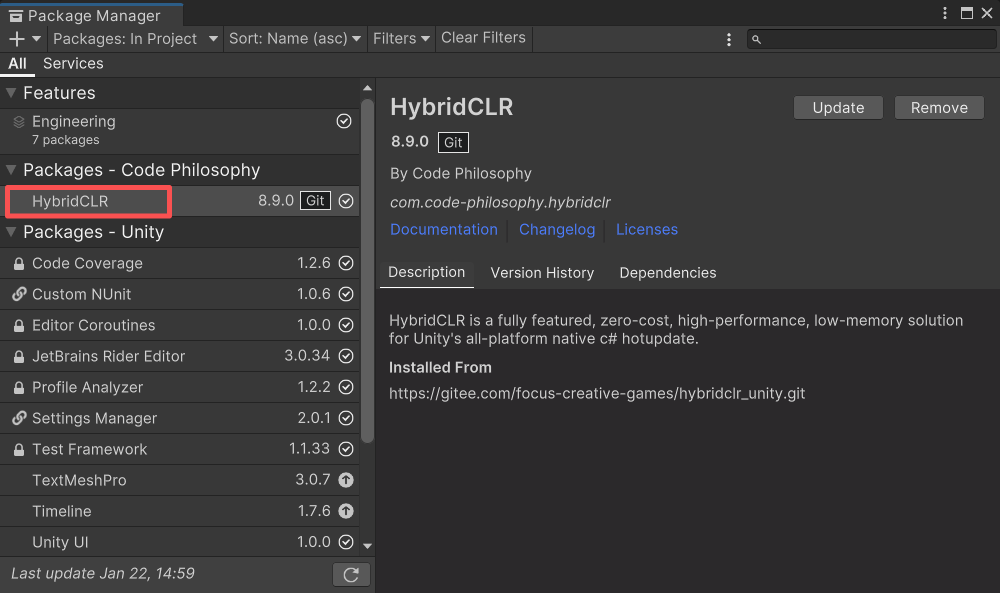
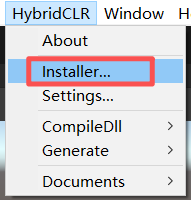
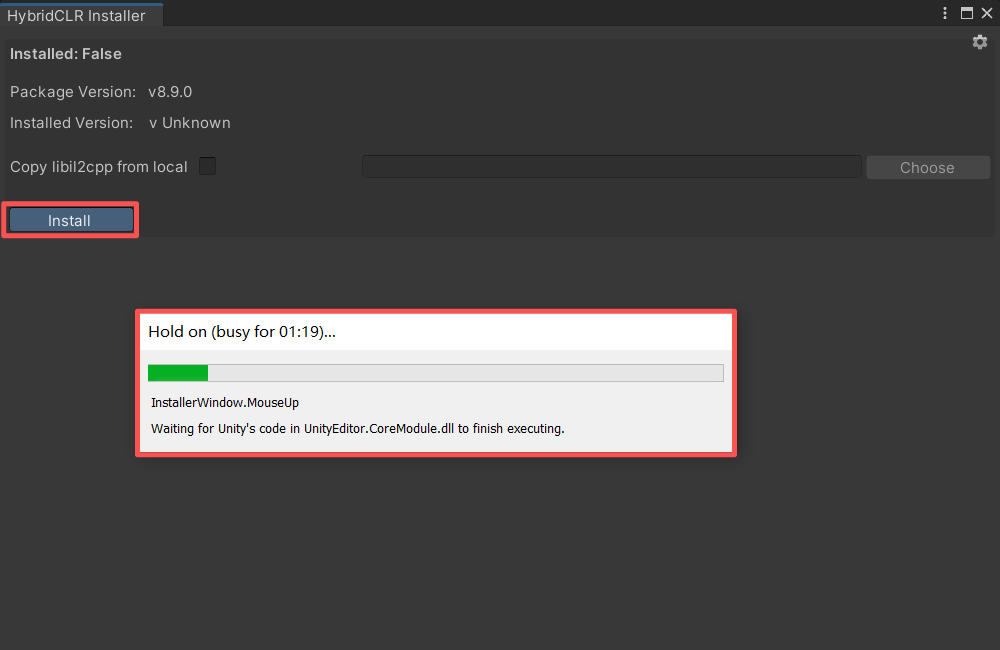
二、安装 HybridCLR 包
菜单:HybridCLR->Installer...
三、创建 HotUpdate 程序集
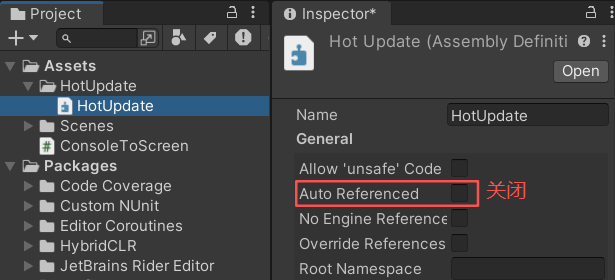
在 Assets/HotUpdate 目录上点击右键,选择 [Create]->Assembly Definition 创建程序集,并命名为 HotUpdate.asmdef。选择 HotUpdate 程序集,在 Inspector 面板中取消 "Auto Referenced" 勾选。
四、设置 PlayerSettings
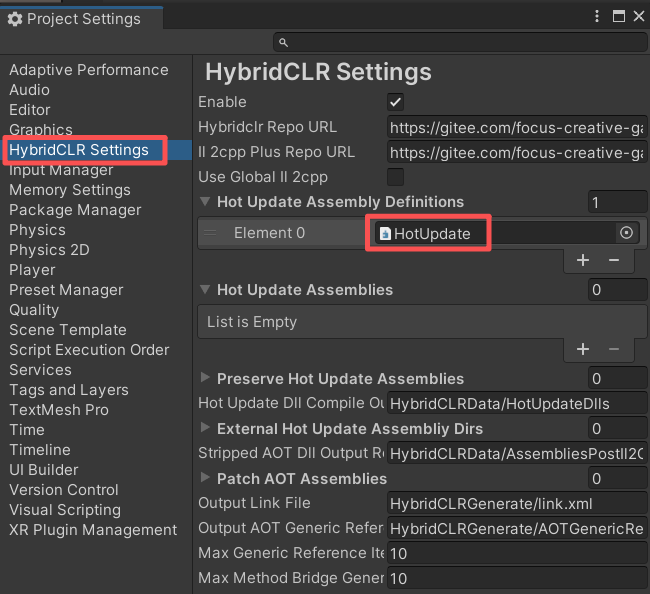
在 Hot Update Assembly Definitions 中添加 HotUpdate 热更程序集。
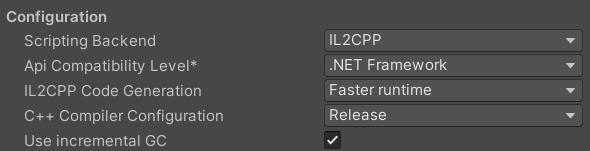
Scripting Backend 设置为 IL2CPP,Api Compatibility Level 设置为 .NET Framework。
五、创建测试脚本
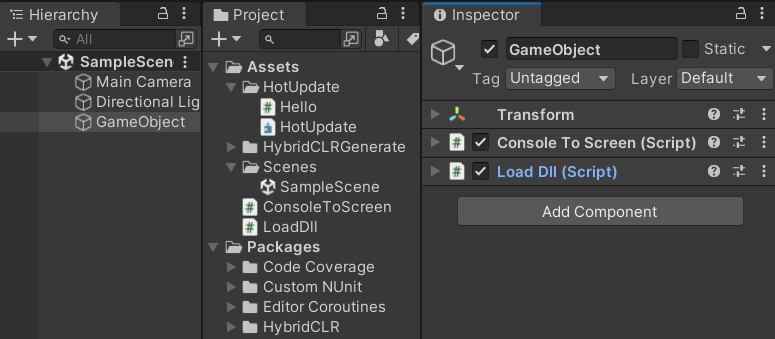
创建日志显示脚本 Assets/ConsoleToScreen.cs
using System;
using System.Collections;
using System.Collections.Generic;
using UnityEngine;

public class ConsoleToScreen : MonoBehaviour
{
    const int maxLines = 50;
    const int maxLineLength = 120;
    private string _logStr = "";

    private readonly List<string> _lines = new List<string>();

    public int fontSize = 15;

    void OnEnable() { Application.logMessageReceived += Log; }
    void OnDisable() { Application.logMessageReceived -= Log; }

    public void Log(string logString, string stackTrace, LogType type)
    {
        foreach (var line in logString.Split('\n'))
        {
            if (line.Length <= maxLineLength)
            {
                _lines.Add(line);
                continue;
            }
            var lineCount = line.Length / maxLineLength + 1;
            for (int i = 0; i < lineCount; i++)
            {
                if ((i + 1) * maxLineLength <= line.Length)
                {
                    _lines.Add(line.Substring(i * maxLineLength, maxLineLength));
                }
                else
                {
                    _lines.Add(line.Substring(i * maxLineLength, line.Length - i * maxLineLength));
                }
            }
        }
        if (_lines.Count > maxLines)
        {
            _lines.RemoveRange(0, _lines.Count - maxLines);
        }
        _logStr = string.Join("\n", _lines);
    }

    void OnGUI()
    {
        GUI.matrix = Matrix4x4.TRS(Vector3.zero, Quaternion.identity,
           new Vector3(Screen.width / 1200.0f, Screen.height / 800.0f, 1.0f));
        GUI.Label(new Rect(10, 10, 800, 370), _logStr, new GUIStyle() { fontSize = Math.Max(10, fontSize) });
    }
}
创建DLL加载脚本 Assets/LoadDll.cs
using System;
using System.Reflection;
using System.IO;
using System.Linq;
using UnityEngine;

public class LoadDll : MonoBehaviour
{
    void Start()
    {
        // Editor环境下,HotUpdate.dll.bytes已经被自动加载,不需要加载,重复加载反而会出问题。
#if !UNITY_EDITOR
        Assembly hotUpdateAss = Assembly.Load(File.ReadAllBytes($"{Application.streamingAssetsPath}/HotUpdate.dll.bytes"));
#else
        // Editor下无需加载,直接查找获得HotUpdate程序集
        Assembly hotUpdateAss = System.AppDomain.CurrentDomain.GetAssemblies().First(a => a.GetName().Name == "HotUpdate");
#endif

        Type type = hotUpdateAss.GetType("Hello");
        type.GetMethod("Run").Invoke(null, null);
    }
}
创建热更测试脚本 Assets/HotUpdate/Hello.cs
using UnityEngine;

public class Hello
{
    public static void Run()
    {
        Debug.Log("Hello, HybridCLR");
    }
}
六、生成热更相关文件
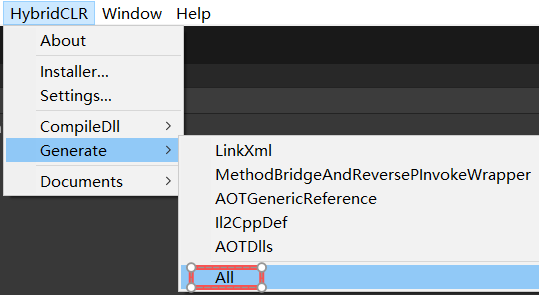
【HybridCLR】->Generate->All (这一步必不可少)
七、打包发布
将{工程}\HybridCLRData\HotUpdateDlls\StandaloneWindows64\HotUpdate.dll 改成为 HotUpdate.dll.bytes 并拷贝到发布程序的 StreamingAssets\HotUpdate.dll.bytes 下面。
八、测试动态加载DLL
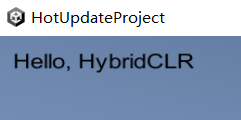
屏幕显示 "Hello, HybridCLR",说明动态加载 HotUpdate.dll.bytes 成功!
九、修改热更DLL中的代码
using UnityEngine;

public class Hello
{
    public static void Run()
    {
        Debug.Log("Hello, World");
    }
}
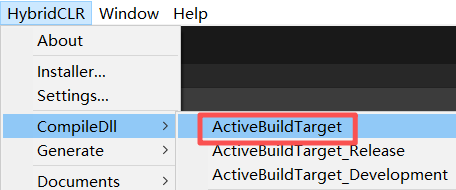
执行 【HybridCLR】->CompileDll->ActiveBuildTarget 菜单项,重新生成 HotUpdate.dll。并将 HotUpdate.dll 改名为 HotUpdate.dll.bytes,然后重新拷贝到发布工程的 StreamingAssets\HotUpdate.dll.bytes 下面。
十、测试热更新代码
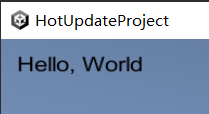
屏幕显示 "Hello, World",说明代码热更新成功!