InfluxDB.Client
post by:追风剑情 2023-7-18 14:42
一、下载InfluxDB
官方下载 Download InfluxDB v2.0 for Windows
GitHub下载
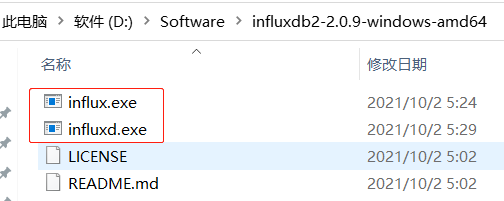
influx.exe是官方提供的命令行客户端
influxd.exe是服务器端
二、启动InfluxDB
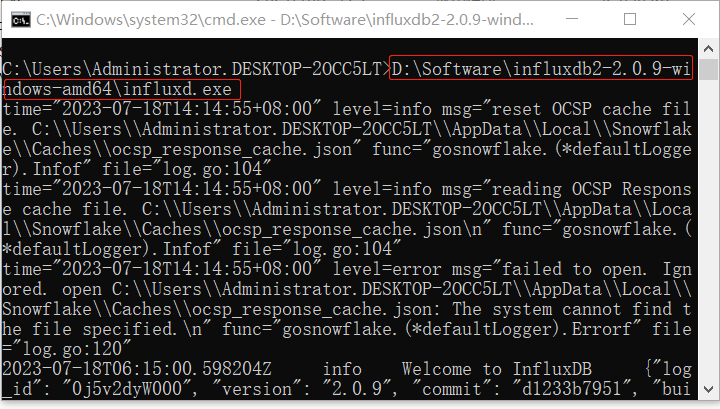
在cmd中运行influxd.exe
示例:在cmd中输入 >D:\Software\influxdb2-2.0.9-windows-amd64\influxd.exe (这是作者的路径)
三、访问InfluxDB后台
InfluxDB默认后台登录地址:http://localhost:8086
访问InfluxDB本地API文档:http://localhost:8086/docs
在线文档 https://docs.influxdata.com/influxdb/v2.0/
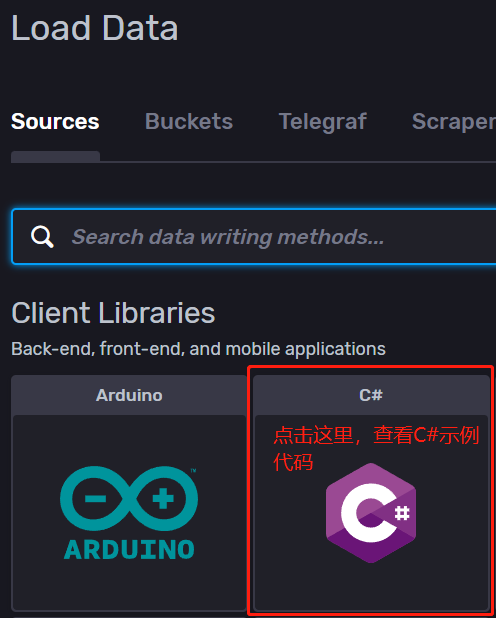
访问C#示例代码,在左侧菜单中选择【data】。
[GitHub] influxdb-client-csharp
[GitHub] influxdb-client-java
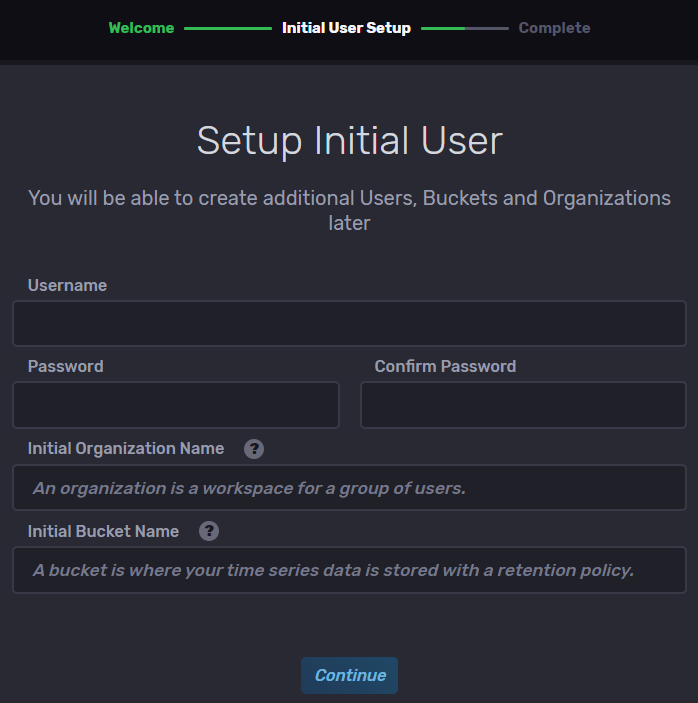
四、初始化用户设置
首次使用InfluxDB时,需要初始化用户设置,登录后台会自动提示进行初始化设置。如图
五、创建.NETFramework项目
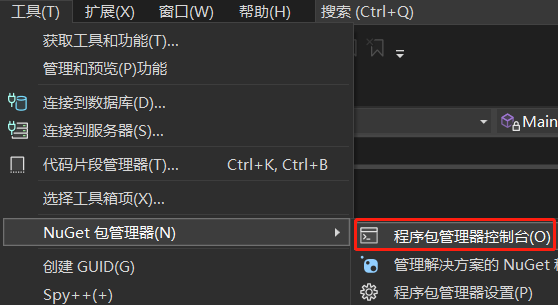
六、安装 InfluxDB.Client
[工具]->"NuGet 包管理器"->"程序包管理器控制台"
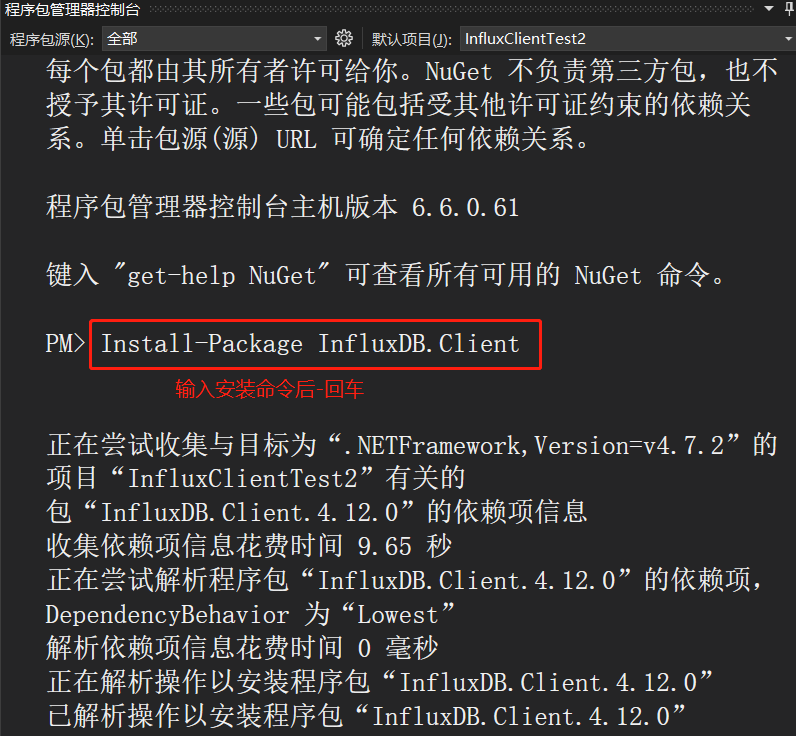
输入 Install-Package InfluxDB.Client 回车
示例
using System;
using System.Collections.Generic;
using System.Net.Sockets;
using System.Threading.Tasks;
using InfluxDB.Client;
using InfluxDB.Client.Api.Domain;
using InfluxDB.Client.Core;
using InfluxDB.Client.Core.Flux.Domain;
using InfluxDB.Client.Writes;

namespace InfluxClientTest
{
    public class Program
    {
        // token的值可在示例代码中找到
        const string TOKEN = "a1HBj6SY62ajZjr-j6FmeOw3417ZtUn3rD7fsiPCA_lL_4hLdx7fHHqWJMzkR8Xp5wurvYKz39CALfhIFw1Ydw==";
        const string BUCKET = "my-bucket";
        const string ORG = "test";
        const string URL = "http://localhost:8086";
        static InfluxDBClient client;

        static void Main(string[] args)
        {
            //创建InfluxDB客户端
            client = new InfluxDBClient(URL, TOKEN);
            //插入数据
            Insert();
            //查询数据
            Query();

            Console.ReadKey();
        }

        // 插入数据
        public static void Insert()
        {
            const string data = "mem,host=host1 used_percent=23.43234543";
            using (var writeApi = client.GetWriteApi())
            {
                writeApi.WriteRecord(data, WritePrecision.Ns, BUCKET, ORG);
            }
        }

        // 查询数据
        public static async void Query()
        {
            var query = $"from(bucket: \"{BUCKET}\") |> range(start: -1h)";
            // 返回数据表集合
            List<FluxTable> tables = await client.GetQueryApi().QueryAsync(query, ORG);
            // 遍历每张数据表
            foreach (FluxTable table in tables)
            {
                Console.WriteLine(table.Records.Count);
                // 遍历数据表的每行记录
                foreach(FluxRecord record in table.Records)
                {
                    // 遍历每条记录的字段
                    foreach(KeyValuePair<string, object> kv in record.Values)
                    {
                        Console.WriteLine("key={0}, value={1}", kv.Key, kv.Value);
                    }
                }
            }
        }
    }
}
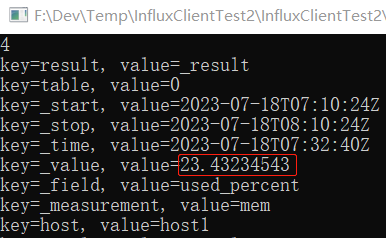
查询数据返回结果
Syntax: Line protocol
Flux v0.x documentation
- 测量名称(measurement name)、标记键(tag key)和字段键(field key)不能以下划线开头。_命名空间是为InfluxDB系统保留的。
- Measurements, tag keys, tag values, 和 field keys 都是字符串类型。InfluxDB会将tag按字符串存储。
- InfluxDB 会将不同的 field key 归到不同的表。每张表仅记录一个 field key。每条记录返回多个tag(如果有)和一个字段以及字段的值。
- 同一张表中的记录可用tag分类。
- |>操作符的意思是将上一步的查询结果传递给下一步进行处理。
- 查询多个字段可用or进行连接 |> filter(fn: (r) => r["_field"] == "xxx" or r["_field"] == "yyy")
-
如果在同一个时间点插入了多个字段,希望查询出来的每条记录包含插入的多个字段,可以添加
|> pivot(rowKey: ["_time"], columnKey: ["_field"], valueColumn: "_value") - 限制返回2条记录|> limit(n:2)
- 降序排序|> sort(desc: true)
- 返回最新的一条记录 |> sort(desc: true) |> limit(n:1),还可以直接写成|> top(n:1)等效于前面写的sort和limit组合。
- 按tag过滤 |> filter(fn:(r)=>r.tag1=="736")
抛异常
InfluxDB.Client.Core.Exceptions.UnauthorizedException: unauthorized access
解决方案:检查是否token参数传错了
评论:
发表评论: