绘制扇形
post by:追风剑情 2023-5-10 18:19
1、准备一张圆形图片
这张图片将在Shader中作为遮罩图使用。
下载遮罩图
2、新建Shader
//绘制扇形
Shader "Custom/FanChart"
{
    Properties
    {
        _MainTex ("Texture", 2D) = "white" {}
        _Color ("Color", Color) = (1, 0, 0, 1)
        _StartAngle ("Start Angle", float) = 0
        _EndAngle ("End Angle", float) = 60
    }
    SubShader
    {
        Tags { "Queue" = "Transparent" "IgnoreProjector" = "true" "RenderType" = "Transparent" }
        LOD 100

        Pass
        {
            Tags {"LightMode" = "ForwardBase"}
            Blend SrcAlpha OneMinusSrcAlpha

            CGPROGRAM
            #pragma vertex vert
            #pragma fragment frag

            #include "UnityCG.cginc"

            struct appdata
            {
                float4 vertex : POSITION;
                float2 uv : TEXCOORD0;
            };

            struct v2f
            {
                float2 uv : TEXCOORD0;
                float4 vertex : SV_POSITION;
            };

            sampler2D _MainTex;
            float4 _MainTex_ST;
            fixed4 _Color;
            float _StartAngle;
            float _EndAngle;

            v2f vert (appdata v)
            {
                v2f o;
                o.vertex = UnityObjectToClipPos(v.vertex);
                o.uv = TRANSFORM_TEX(v.uv, _MainTex);
                return o;
            }

            fixed4 frag (v2f i) : SV_Target
            {
                fixed4 col = tex2D(_MainTex, i.uv);
                //夹角
                float includedAngle = _EndAngle - _StartAngle;
                //角度转弧度
                float x1 = UNITY_PI / 180 * _StartAngle;
                float x2 = UNITY_PI / 180 * _EndAngle;
                //定义起始向量
                float2 p1 = float2(cos(x1), sin(x1));
                //定义结束向量
                float2 p2 = float2(cos(x2), sin(x2));
                //纹理中心
                fixed2 center = fixed2(0.5, 0.5);
                //计算uv向量
                fixed2 p = i.uv - center;
                //计算p与p1的叉乘
                float a = p.x* p1.y - p1.x * p.y;
                //计算p与p2的叉乘
                float b = p.x* p2.y - p2.x * p.y;
                //通过叉乘结果判断p是否在p1与p2向量之间
                //向量p1与p2之间的夹角分锐角与钝两种情况判断
                if ((includedAngle < 180 && a < 0 && b > 0) || (includedAngle >= 180 && (a < 0 || b > 0)))
                    return fixed4(_Color.x, _Color.y, _Color.z, col.a);
                return fixed4(0,0,0,0);
            }
            ENDCG
        }
    }
}
3、新建Material
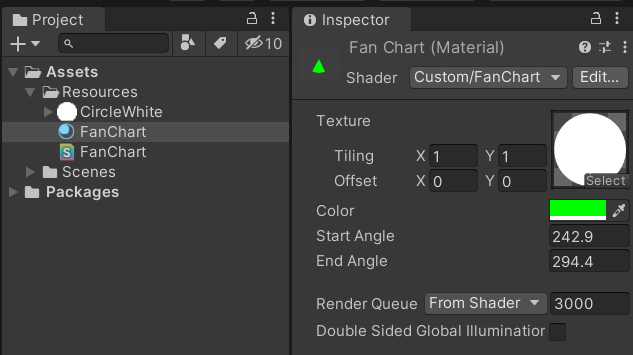
4、新建Image
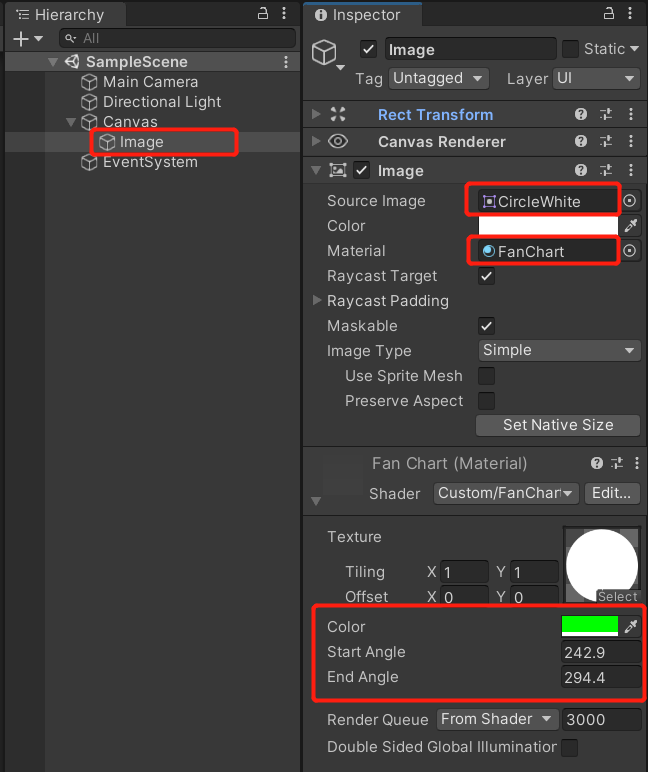
5、改变材质中的参数值
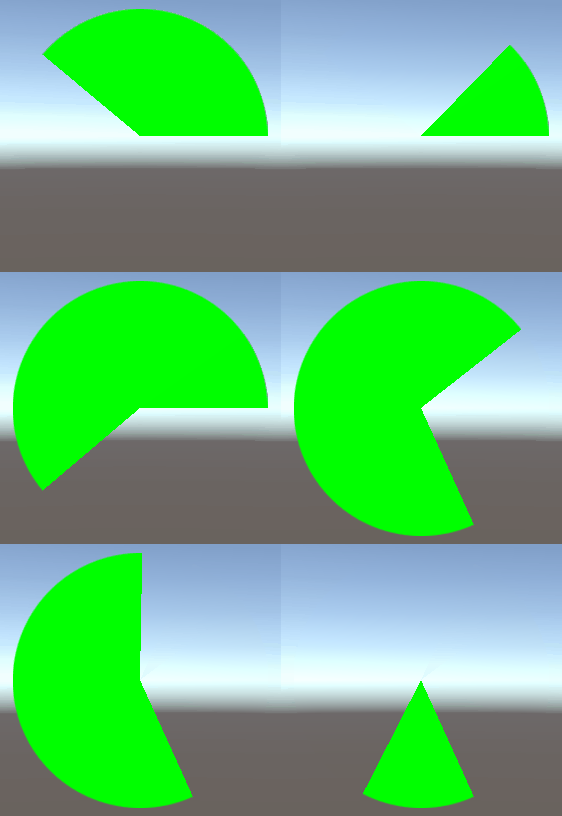
评论:
发表评论: