导航箭头
post by:追风剑情 2021-12-21 15:12
一、路径指向箭头
1、创建shader
//导航箭头
Shader "Custom/NavPathArrow"
{
    Properties
    {
        _MainTex ("Texture", 2D) = "white" {}
        _ScrollYSpeed("Y Scroll Speed", Range(-20, 20)) = 2
    }
    SubShader
    {
        Tags { "Queue" = "Transparent" "RenderType"="Transparent" }
        LOD 100
        //双面渲染
        Cull Off
        //Alpha混合
        Blend SrcAlpha OneMinusSrcAlpha

        Pass
        {
            CGPROGRAM
            #pragma vertex vert
            #pragma fragment frag

            #include "UnityCG.cginc"

            struct appdata
            {
                float4 vertex : POSITION;
                float2 uv : TEXCOORD0;
            };

            struct v2f
            {
                float2 uv : TEXCOORD0;
                float4 vertex : SV_POSITION;
            };

            sampler2D _MainTex;
            float4 _MainTex_ST;
            fixed _ScrollYSpeed;

            v2f vert (appdata v)
            {
                v2f o;
                o.vertex = UnityObjectToClipPos(v.vertex);
                o.uv = TRANSFORM_TEX(v.uv, _MainTex);
                return o;
            }

            fixed4 frag(v2f i) : SV_Target
            {
                fixed2 uv = i.uv;
                uv.y += _ScrollYSpeed * _Time;
                fixed4 col = tex2D(_MainTex, uv);
                return col;
            }
            ENDCG
        }
    }
}
2、创建材质
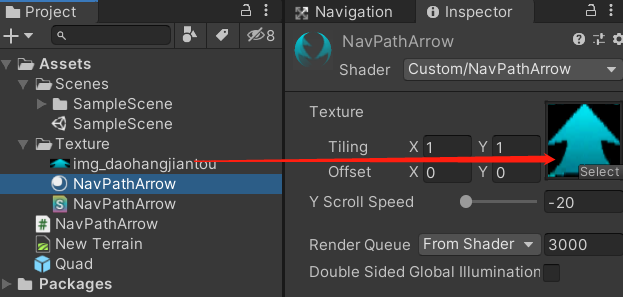
3、创建脚本
using System.Collections;
using System.Collections.Generic;
using UnityEngine;
/// <summary>
/// 导航箭头
/// </summary>
public class NavPathArrow : MonoBehaviour
{
    //箭头3D对象Quad,贴图为一张向上的箭头
    [SerializeField]
    private MeshRenderer meshRenderer;
    [SerializeField]
    private List<Transform> points = new List<Transform>();
    private List<MeshRenderer> lines = new List<MeshRenderer>();
    private float xscale = 1f;
    private float yscale = 1f;

    private void Awake()
    {
        //箭头宽度缩放值
        xscale = meshRenderer.transform.localScale.x;
        //箭头长度缩放值
        yscale = meshRenderer.transform.localScale.y;
        meshRenderer.gameObject.SetActive(false);
    }

    void Start()
    {
        DrawPath();
    }

    public void SetScale(float xscale, float yscale)
    {
        this.xscale = xscale;
        this.yscale = yscale;
    }

    public void DrawPath()
    {
        if (points == null || points.Count <= 1)
            return;
        for (int i=0; i< points.Count-1; i++)
        {
            DrawLine(points[i].position, points[i+1].position, i);
        }
    }

    public void DrawPath(Vector3[] points)
    {
        if (points == null || points.Length <= 1)
            return;
        for (int i = 0; i < points.Length - 1; i++)
        {
            DrawLine(points[i], points[i + 1], i);
        }
    }

    public void HidePath()
    {
        for (int i = 0; i < lines.Count; i++)
            lines[i].gameObject.SetActive(false);
    }

    private void DrawLine(Vector3 start, Vector3 end, int index)
    {
        MeshRenderer mr;
        if (index >= lines.Count)
        {
            mr = Instantiate<MeshRenderer>(meshRenderer);
            lines.Add(mr);
        }
        else
        {
            mr = lines[index];
        }

        var tran = mr.transform;
        var length = Vector3.Distance(start, end);
        tran.localScale = new Vector3(xscale, length, 1);
        tran.position = (start + end) / 2;
        //指向end
        tran.LookAt(end);
        //旋转偏移
        tran.Rotate(90, 0, 0);
        mr.material.mainTextureScale = new Vector2(1, length * yscale);
        mr.gameObject.SetActive(true);
    }
}
4、使用
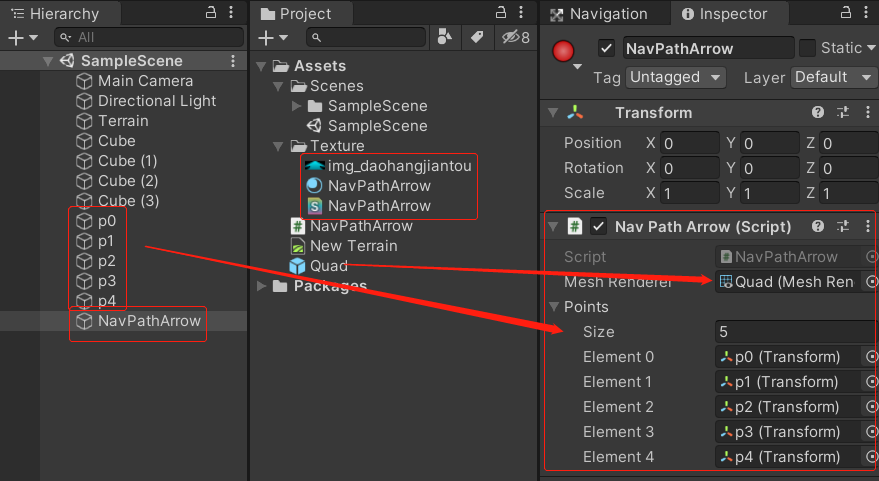
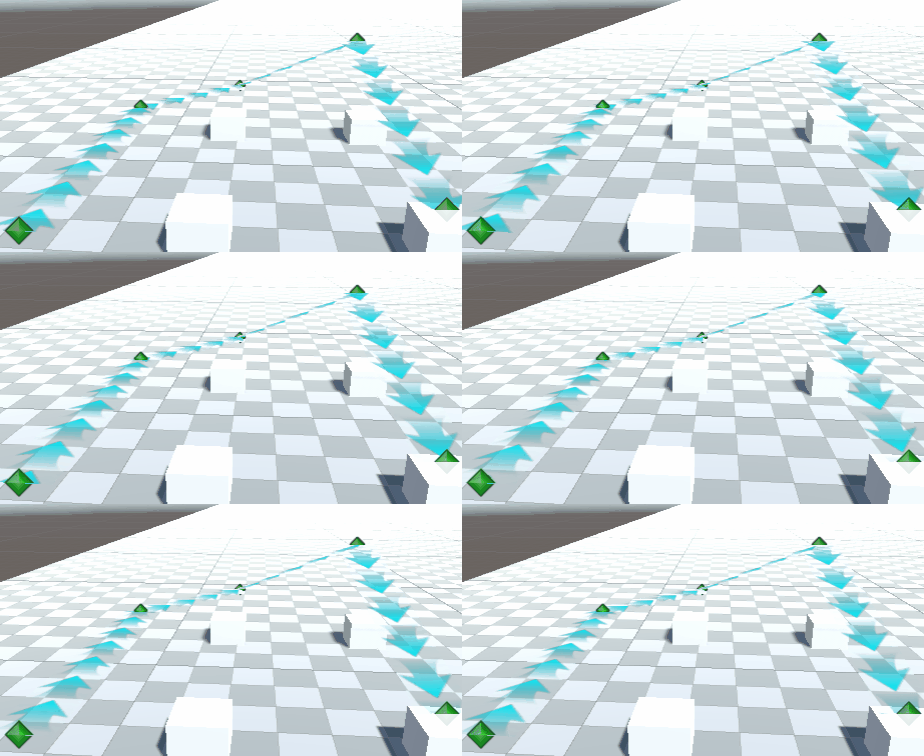
效果
二、目标指向箭头
NavTargetArrow.shader
//目标箭头
Shader "Custom/NavTargetArrow"
{
    Properties
    {
        _MainTex("Texture", 2D) = "white" {}
    }
        SubShader
        {
            Tags { "LightMode" = "ForwardBase" "Queue" = "Overlay" "RenderType" = "Overlay" }
            LOD 100

            //关闭深度测试,让箭头总显示在其他模型之上
            ZTest Off
            //双面渲染
            Cull Off
            //Alpha混合
            Blend SrcAlpha OneMinusSrcAlpha

            Pass
            {
                CGPROGRAM
                #pragma vertex vert
                #pragma fragment frag

                #include "UnityCG.cginc"

                struct appdata
                {
                    float4 vertex : POSITION;
                    float2 uv : TEXCOORD0;
                };

                struct v2f
                {
                    float2 uv : TEXCOORD0;
                    float4 vertex : SV_POSITION;
                };

                sampler2D _MainTex;
                float4 _MainTex_ST;

                v2f vert(appdata v)
                {
                    v2f o;
                    o.vertex = UnityObjectToClipPos(v.vertex);
                    o.uv = TRANSFORM_TEX(v.uv, _MainTex);
                    return o;
                }

                fixed4 frag(v2f i) : SV_Target
                {
                    fixed4 col = tex2D(_MainTex, i.uv);
                    return col;
                }
                ENDCG
            }
        }
}
NavTargetArrow.cs
using System.Collections;
using System.Collections.Generic;
using UnityEngine;
/// <summary>
/// 目标箭头
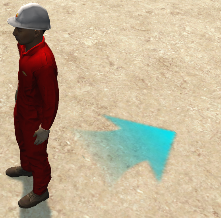
/// 由Quad和1张向上的箭头纹理实现
/// </summary>
public class NavTargetArrow : MonoBehaviour
{
    public Vector3 target;
    public float radius=1f;
    private MeshRenderer meshRenderer;
    private Transform mTransform;
    private Vector3 mLocalPosition;
    private bool hide = false;

    private void Awake()
    {
        mTransform = transform;
        mLocalPosition = mTransform.localPosition;
        meshRenderer = GetComponent<MeshRenderer>();
    }

    void Update()
    {
        hide = Vector3.Distance(target, mTransform.position) < radius;
        meshRenderer.enabled = !hide;
        if (hide)
            return;
        target.y = mTransform.position.y;
        mTransform.LookAt(target);
        //旋转偏移
        mTransform.Rotate(90, 0, 0);

        //将箭头往指向方向前移一点
        var direction = target - mTransform.position;
        direction = mTransform.parent.InverseTransformDirection(direction);
        direction = direction.normalized;
        direction.y = mLocalPosition.y;
        mTransform.localPosition = direction;
    }
}
评论:
发表评论: