涟漪效果
post by:追风剑情 2021-8-16 11:05
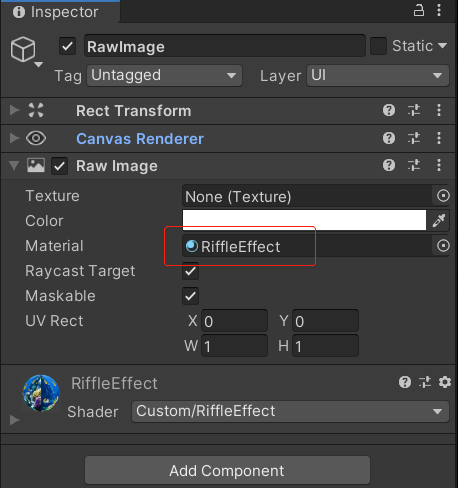
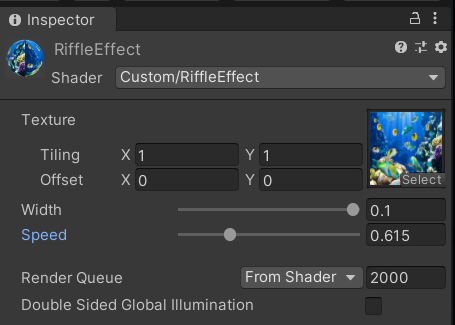
一、工程截图
二、生成涟漪效果的Shader
Shader "Custom/RiffleEffect"
{
    Properties
    {
        _MainTex ("Texture", 2D) = "white" {}
        //涟漪环宽度
        _Width ("Width", Range(0.01, 0.1)) = 0.04
        //速度
        _Speed("Speed", Range(0.1, 2)) = 0.8
    }
    SubShader
    {
        Tags { "RenderType"="Opaque" }
        LOD 100

        Pass
        {
            CGPROGRAM
            #pragma vertex vert
            #pragma fragment frag
            // make fog work
            #pragma multi_compile_fog

            #include "UnityCG.cginc"

            struct appdata
            {
                float4 vertex : POSITION;
                float2 uv : TEXCOORD0;
            };

            struct v2f
            {
                float2 uv : TEXCOORD0;
                UNITY_FOG_COORDS(1)
                float4 vertex : SV_POSITION;
            };

            sampler2D _MainTex;
            float4 _MainTex_ST;
            fixed _Width;
            fixed _Speed;

            v2f vert (appdata v)
            {
                v2f o;
                o.vertex = UnityObjectToClipPos(v.vertex);
                o.uv = TRANSFORM_TEX(v.uv, _MainTex);
                UNITY_TRANSFER_FOG(o,o.vertex);
                return o;
            }

            fixed4 frag(v2f i) : SV_Target
            {
                //图像中心点uv
                fixed2 center = fixed2(0.5, 0.5);
                //离中心点距离
                fixed dis = distance(i.uv, center);
                //将坐标原点移到center位置
                fixed2 cp = i.uv - center;
                //frac(x)取x的小数部分
                //f代表从中心向边缘的扩散距离
                //控制涟漪环向外扩散
                fixed f = frac(_Time.y * _Speed);
                //当前uv离中心点的距离
                //取值范围: [0, 0.5] * 2 -> [0, 1]
                fixed dis2 = dis * 2;
                //涟漪环宽度
                fixed rw = _Width;
                fixed dw = abs(dis2 - f);
                //对落在涟漪环内的uv做偏移
                if (dw < rw) {
                    //w=[0,rw]
                    fixed w = rw - dw;
                    //衰减
                    w *= (1 - f);
                    //s=[0, PI/2]
                    float s = w / rw * UNITY_HALF_PI;
                    //sin(s)=[0, 1]
                    cp *= abs(sin(s) * w + (1 - w));
                }
                //再将坐标原点移回图像左下角
                fixed2 uv = center + cp;

                fixed4 col= tex2D(_MainTex, uv);
                return col;
            }
            ENDCG
        }
    }
}
三、运行测试

评论:
发表评论: