目录规范
参考 https://www.cnblogs.com/aidata/p/11753179.html
/usr相当于C:/Windows
/usr/lib相当于C:/Windows/System32
/usr/local相当于C:/Program Files/
/opt相当于D:/Software
/usr/src系统级源码目录
/usr/local/src用户级源码目录
一、准备测试代码
testlib.h
//避免重复导入
#ifndef _TESTLIB_H_
#define _TESTLIB_H_
//平台判断
#if(defined  _WIN64 || defined _WIN32)
__declspec(dllexport) char*  helloWorld();
#elif __linux__
char*  helloWorld();
#endif
#endif
testlib.c
#if(defined  _WIN64 || defined _WIN32)
#define _CRT_SECURE_NO_WARNINGS
#endif
#include <string.h>
#include "testlib.h"

char str[12];

char * helloWorld()
{
	strcpy(str, "Hello World");
	return str;
}
二、编译.so
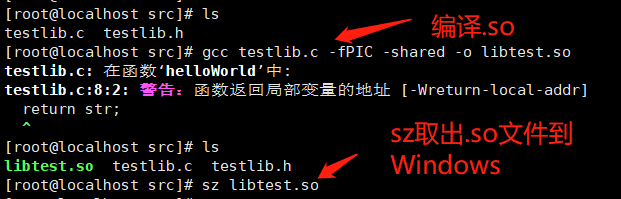
以下是Xshell截图 gcc xxx.c -fPIC -shared -o libxxx.so
Windows下使用NDK编译不同平台的.so
1、下载android-ndk-r21b-windows-x86_64.zip
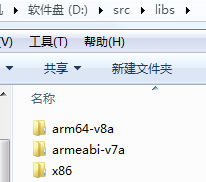
2、创建源代码目录
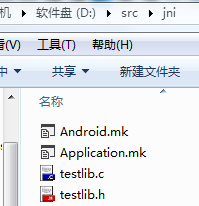
注意:jni是ndk-build命令默认搜索的目录,将代码文件、Android.mk、Application.mk放到jni目录下。
LOCAL_PATH := $(call my-dir)
include $(CLEAR_VARS)
LOCAL_MODULE := libtest
LOCAL_LDFLAGS := -Wl,--build-id
LOCAL_SRC_FILES := testlib.c
include $(BUILD_SHARED_LIBRARY)
APP_ABI := armeabi-v7a arm64-v8a x86
3、cd到src目录运行ndk-build命令
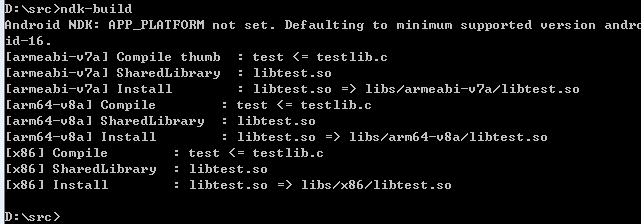
看到以上输出说明对应CPU架构的.so文件已经生成
在Linux下使用ndk-build编译不同平台的.so
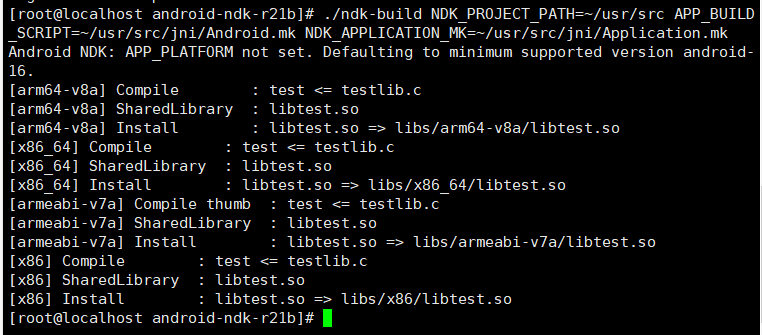
以下都为Xshell截图
使用ndk-build命令编译
为了方便写个shell脚本来编译
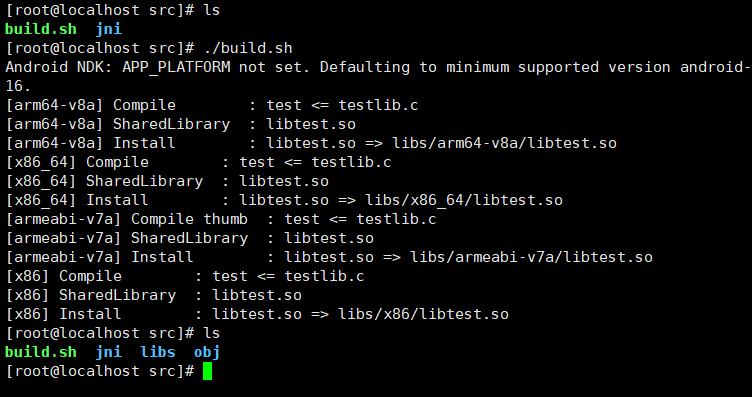
build.sh
#!/bin/bash
PWD=$(pwd)
NDK=~/opt/android-ndk-r21b
BUILDER=${NDK}/ndk-build
ABS=${PWD}/jni/Android.mk
NAM=${PWD}/jni/Application.mk
${BUILDER} NDK_PROJECT_PATH=${PWD} APP_BUILD_SCRIPT=${ABS} NDK_APPLICATION_MK=${NAM}
利用shell脚本编译如果报下面的错
-bash: ./build.sh: /bin/bash^M: 坏的解释器: 没有那个文件或目录
原因
是因为在Windows中编辑的文件换行符造成的,将全部\r\n替换成\n即可。
解决方法
用vim打开,vim build.sh
然后执行
:set ff=unix
:wq
运行脚本前需要先开权限
chmod +x build.sh
./build.sh
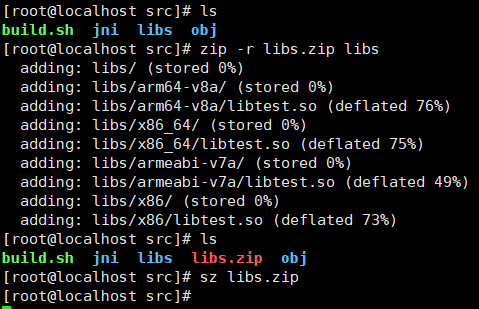
使用linux的zip命令将生成的libs目录压缩成zip后,再利用sz命令取回到windows中使用
在Unity中调用.so接口
1、将生成的.so文件拷到Unity工程中
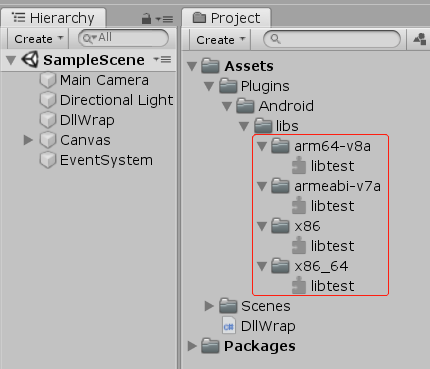
编写C#测试代码
using System;
using System.Collections;
using System.Collections.Generic;
using System.Text;
using System.Runtime.InteropServices;
using UnityEngine;
using UnityEngine.UI;

public class DllWrap : MonoBehaviour
{
    //调用本地代码官方文档
    //https://docs.unity3d.com/cn/current/Manual/NativePlugins.html
    #if UNITY_IPHONE && !UNITY_EDITOR
    [DllImport ("__Internal")]
    #else
    [DllImport("test")]
    #endif
    private static extern IntPtr helloWorld();
    public Text text;

    void Start()
    {
        Debug.Log("Call so interface. helloWorld()");
        int len = 64;
        //c返回字符串指针时c#要用结构体指针接收并通过新建一个托管内存拷贝
        //参考 https://www.cnblogs.com/huangchaoqun/p/7599939.html
        IntPtr str = helloWorld();
        string s = Marshal.PtrToStringAnsi(str, len);
        if (s == null)
        {
            byte[] buffer = new byte[len];
            Marshal.Copy(str, buffer, 0, len);
            s = Encoding.UTF8.GetString(buffer);
        }
        Debug.LogFormat("s={0}", s);
        text.text = s;
    }
}
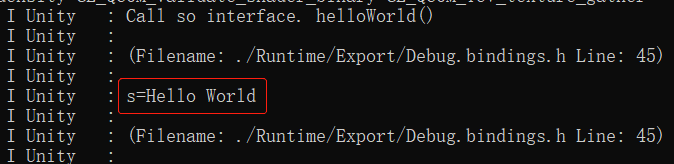
导出apk安装并运行测试 (查看logcat日志)