附加脚本的使用
post by:追风剑情 2019-9-20 17:38
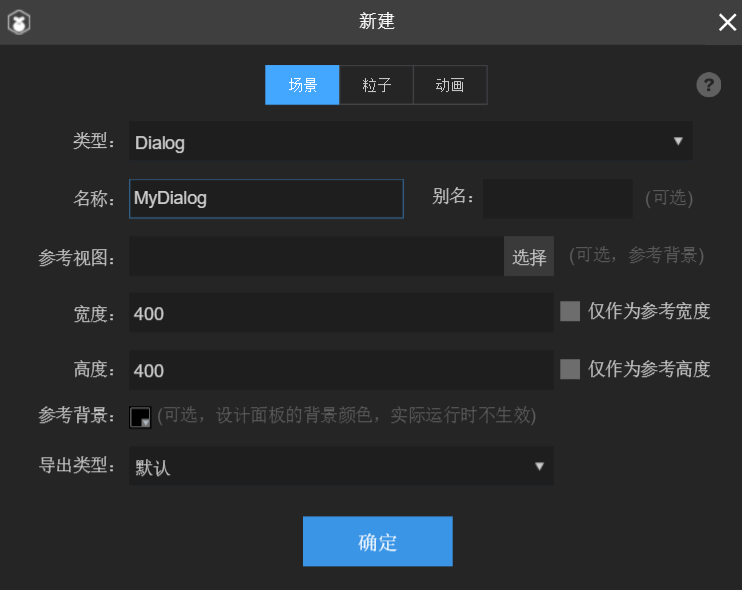
一、新建MyDialog.scene
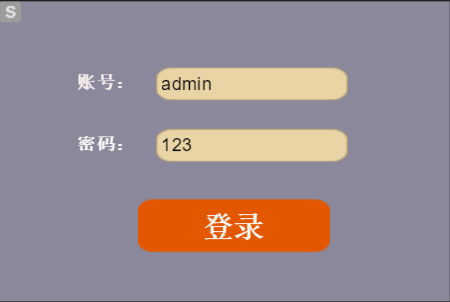
拖一个登录界面
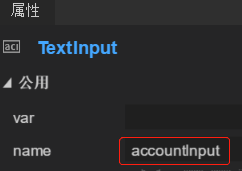
给需要在代码中访问的组件取个名字
二、新建MyDialog.ts

整个工程结构
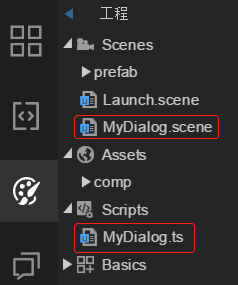
MyDialog.ts
export default class MyDialog extends Laya.Script {
    // 这部分为自动生成的,这些字段可显示在属性面板中
    /** @prop {name:intType, tips:"整数类型示例", type:Int, default:1000}*/
    public intType: number = 1000;
    /** @prop {name:numType, tips:"数字类型示例", type:Number, default:1000}*/
    public numType: number = 1000;
    /** @prop {name:strType, tips:"字符串类型示例", type:String, default:"hello laya"}*/
    public strType: string = "hello laya";
    /** @prop {name:boolType, tips:"布尔类型示例", type:Bool, default:true}*/
    public boolType: boolean = true;
    // 更多参数说明请访问(附加脚本的使用): http://ldc.layabox.com/doc/?nav=zh-ts-2-4-2

    private accountInput: Laya.TextInput;
    private passwordInput: Laya.TextInput;
    private btnLogin: Laya.Button;

    constructor() { super(); }

    onEnable(): void {
    }

    onDisable(): void {
    }

    /**
     * 此属性在运行时被自动调用
     * 设置owner函数,可以直接获取到添加附加脚本的组件实例
     **/
    public set owner(value: any)
    {
        var dialog: Dialog = value;
        if (dialog == null)
            return;

        //获取组件
        this.accountInput = dialog.getChildByName("accountInput") as Laya.TextInput;
        this.passwordInput = dialog.getChildByName("passwordInput") as Laya.TextInput;
        this.btnLogin = dialog.getChildByName("btnLogin") as Laya.Button;

        //按钮注册Click事件处理器
        this.btnLogin.clickHandler = new Laya.Handler(this, this.onClickLogin);
    }

    private onClickLogin(): void
    {
        var account: string = this.accountInput.text;
        var password: string = this.passwordInput.text;
        console.debug("*************** onClickLogin() account=%s, password=%s", account, password);
    }
}
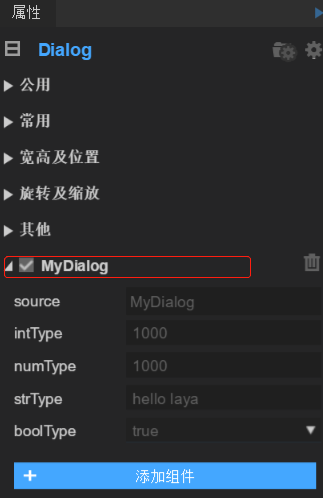
三、把MyDialog.ts脚本拖到MyDialog.scene的属性面板上
四、在Chrome中运行测试
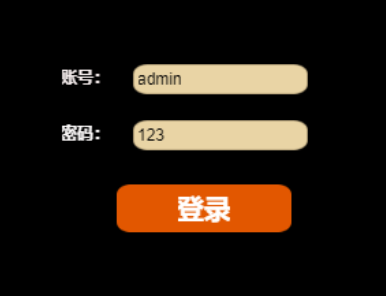
点登录按钮,打印出日志

评论:
发表评论: